Know which signer is holding up each contract
Every morning, WebRun opens Yousign, finds the signature requests still open, names the signer each document is waiting on and how long it has been sitting, files an updated chase log in Google Drive, and posts today's chase list to your team WhatsApp group with the requests closest to expiry first.
- No credit card
- Under $0.01 per run
- Cancel anytime
How do I find out which signer is holding up a contract?
WebRun chases stuck signatures in Yousign every morning. It finds the requests still open, names the signer each document is waiting on and how long it has been sitting, files an updated chase log in Google Drive, and posts today's list to your team WhatsApp group with the closest to expiry first.
- The person holding up each contract is named every morning
- Requests near expiry are flagged before they lapse
- Nothing is sent to a signer without a human deciding to send it
Built for operations teams · legal teams · HR · sales administrators
What does WebRun do on every run?
The exact actions WebRun takes, in order - in plain language, so you can adjust anything.
-
WebRun signs in and gets to work
Opens
app.yousign.comin a real browser with your saved login - no setup, no API keys. -
1
Yousign - find who has not signed
yousign.com
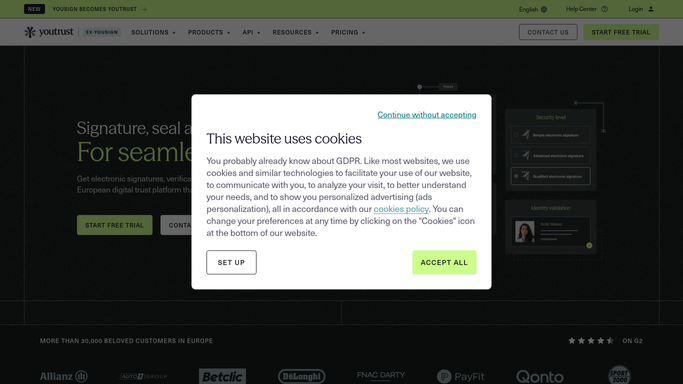
WebRun opens Yousign to find who has not signed. - Open Yousign and filter signature requests to those still in progress
- For each one, capture the document, the signers who have already signed, and the signer it is waiting on
- Note the day the request was sent, the days it has been open, and the expiry date
Done when Every open request names the signer holding it up and the days it has waited.
-
2
Google Drive - file the chase log
drive.google.com How to Automate Google Drive

WebRun opens Google Drive to file the chase log. - Update the chase log file in your contracts folder with one row per open request
- Record the document, the pending signer, the days open, and the expiry date
- Mark rows completed once the request shows every signature collected
Done when The Google Drive chase log matches this morning's open requests.
-
3
WhatsApp - post today's chase list
whatsapp.com How to Automate WhatsApp

WebRun opens WhatsApp to post today's chase list. - Post today's chase list to your internal operations group
- Order it by days open, and mark anything within a week of expiry
- Keep the post inside your team group. Never message a signer directly
Done when Your team has today's list of stuck documents and named signers in WhatsApp.
How is each run configured?
Secure by default
Connect once, stays signed in
WebRun signs in once and keeps each session in a persistent environment, so every run picks up right where it left off.
Every action is checked against this policy before it runs.
Questions, answered
Will it send reminders to signers by itself?
No. WebRun never triggers a Yousign reminder or emails a signer. It queues the chase internally, and a person on your team decides who to nudge and sends it.
Does it touch the documents themselves?
No. It reads request status only. Nothing is signed, cancelled, downloaded, or deleted in Yousign, and the Google Drive log holds the status, not the contract.
How does it know which contract is urgent?
It orders the list by days open and flags any request within a week of its expiry date, so the contract about to lapse is the first line you read.
Related templates
Put this on autopilot.
Turn it on in minutes - or have our team set it up for you.