Turn the day's finished documents into filed PDFs
Every night, WebRun opens WPS Office, finds the documents finished that day, exports each one to PDF and files it in the right cloud folder, records the file name, date, and folder in Airtable, and sends the team a short WhatsApp list of what was archived.
- No credit card
- Under $0.01 per run
- Cancel anytime
How do I archive finished documents as PDFs every night?
WebRun opens WPS Office every night, finds the documents finished that day, exports each one to a dated PDF filed in the right folder, indexes it in Airtable with its link, and posts your team a short WhatsApp list, so everyone reads a fixed copy that cannot change underneath them.
- Every finished document has a dated PDF that cannot quietly change
- An Airtable index makes any archived file findable in seconds
- The team knows each morning what was filed overnight
Built for operations teams · professional services · back office teams · small businesses
What does WebRun do on every run?
The exact actions WebRun takes, in order - in plain language, so you can adjust anything.
-
WebRun signs in and gets to work
Opens
www.wps.comin a real browser with your saved login - no setup, no API keys. -
1
WPS Office - export finished documents to PDF
wps.com
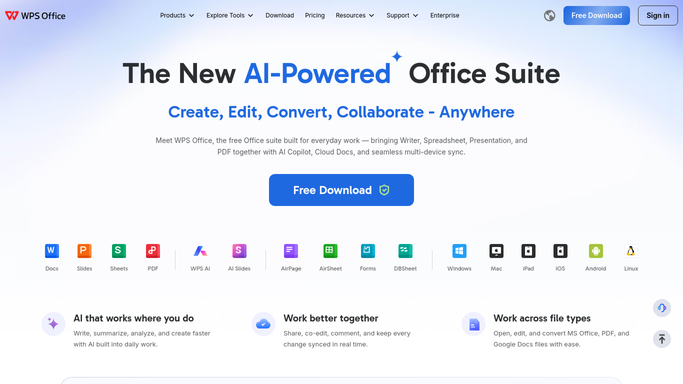
WebRun opens WPS Office to export finished documents to PDF. - Open WPS Office and go to your cloud documents
- Find the documents edited today and marked finished by your naming or folder convention
- Export each one to PDF and save it into the matching archive folder
- Name each PDF with the document title and the run date so versions never collide
Done when Every finished document has a dated PDF sitting in its archive folder.
-
2
Airtable - index every archived file
airtable.com How to Automate Airtable

WebRun opens Airtable to index every archived file. - Add a row for each archived PDF with its title, source document, folder, and date
- Record who last edited the source document in WPS
- Store the sharing link so anyone can open the fixed copy
- Skip documents already archived on an earlier run
Done when Every PDF from tonight has an Airtable row with its link and folder.
-
3
WhatsApp - tell the team what was filed
whatsapp.com How to Automate WhatsApp

WebRun opens WhatsApp to tell the team what was filed. - Post a short internal note to your team group listing tonight's archived PDFs
- Include the document title and the folder it was filed into
- Flag any document that failed to export so someone can check it
- Send nothing on nights when no document was finished
Done when The team group has tonight's archive list, or no documents were finished.
How is each run configured?
Secure by default
Connect once, stays signed in
WebRun signs in once and keeps each session in a persistent environment, so every run picks up right where it left off.
Every action is checked against this policy before it runs.
Questions, answered
Does it change or delete the original documents?
No. WebRun exports a copy to PDF and leaves the source document exactly as it was. Nothing is edited, moved, or deleted in your WPS cloud storage.
How does it know a document is finished?
By the convention you set: a folder, a name suffix, or a status word in the title. Documents that do not match are left alone until you mark them.
Will it send the PDFs to anyone outside the team?
No. The WhatsApp note goes to your own internal team group and lists titles and folders only. No customer or external contact is messaged, and no file is emailed out.
Related templates
Put this on autopilot.
Turn it on in minutes - or have our team set it up for you.