Automated Woodpecker Final Step Follow-Up
Every Monday, WebRun opens Woodpecker, finds prospects who completed a full campaign with no reply recorded, logs each one to Google Sheets with the campaign and step count, and drafts one last short, personalized follow-up in Gmail for the rep to review and send, so a finished campaign gets one more human try.
How do I follow up with campaign prospects who never replied?
WebRun checks Woodpecker every Monday for prospects who finished a full campaign with no reply recorded, and logs each one to Google Sheets with the campaign and outcome. It drafts one last short, personalized follow-up in Gmail for the rep to review and send, so a finished campaign gets one more human try before it's marked done.
- Finished campaigns get one more personal try instead of a silent close
- Campaign outcomes are tracked in Sheets to see what's actually working
- Nothing sends without the rep's own review
Built for SDRs · agencies running cold email · outbound sales teams · sales development managers
What does WebRun do on every run?
The exact actions WebRun takes, in order - in plain language, so you can adjust anything.
-
WebRun signs in and gets to work
Opens
app.woodpecker.coin a real browser with your saved login - no setup, no API keys. -
1
Woodpecker - find campaigns that finished with no reply
woodpecker.co
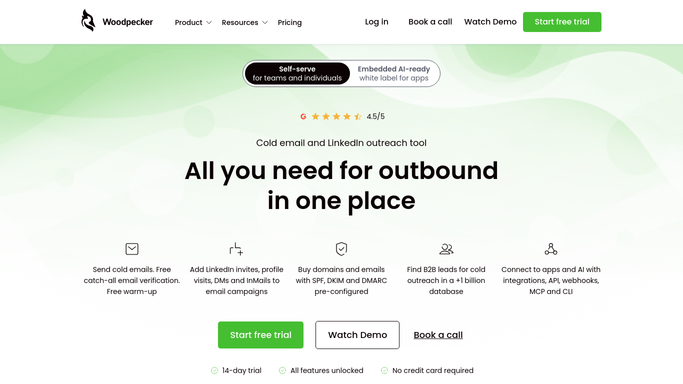
WebRun opens Woodpecker to find campaigns that finished with no reply. - Open Woodpecker and check campaigns that completed since the last run
- Find prospects with no reply recorded across the full campaign
- Capture the prospect, company, and which campaign they were on
Done when Every completed campaign with no reply is captured.
-
2
Google Sheets - log the finished campaign
google.com

WebRun opens Google Sheets to log the finished campaign. - Open the Campaign Outcomes tracker
- Log each completed campaign with its outcome: no reply, replied, or converted
Done when Every completed campaign this run is logged with its outcome.
-
3
Gmail - draft one last personal follow-up
gmail.com

WebRun opens Gmail to draft one last personal follow-up. - Draft one last short, personalized follow-up in Gmail for each no reply prospect
- Leave every draft unsent for the rep to review, edit, and send
Done when Every no reply prospect has a ready to review Gmail draft.
How is each run configured?
Secure by default
Connect once, stays signed in
WebRun signs in once and keeps each session in a persistent environment, so every run picks up right where it left off.
Every action is checked against this policy before it runs.
Questions, answered
Will it send the last follow-up on its own?
No. WebRun only drafts the follow-up in Gmail and leaves it unsent. Your rep reviews, edits if needed, and sends it themselves.
What counts as no reply?
A prospect who completed every step of the campaign with zero replies recorded in Woodpecker. Anyone who replied at any point is excluded.
Why log the outcome to Google Sheets?
So over time you can see what share of campaigns end with no reply versus a conversion, and use that to improve future campaigns.
Related templates
Put this on autopilot.
Turn it on in minutes - or have our team set it up for you.