Never miss a past client anniversary or follow-up date
Every morning, WebRun opens Wise Agent, checks past clients for a home purchase anniversary or a scheduled follow-up date within the next 14 days, posts the list to Slack ranked soonest first, and mirrors it to Telegram so a past client relationship never goes quiet without you noticing.
- No credit card
- Under $0.01 per run
- Cancel anytime
How do I remember past client anniversaries and follow-up dates?
WebRun checks Wise Agent every morning for past clients with a home purchase anniversary or a scheduled follow-up date within the next 14 days, and ranks the list soonest first. It posts the reminder to Slack, mirrored to Telegram, so a past client relationship never goes quiet without you noticing in time.
- Client anniversaries and follow-ups get a ranked reminder every morning
- The reminder reaches both Slack and Telegram so nothing is missed
- Nothing is sent to the client automatically, only an internal reminder
Built for real estate agents · real estate teams · mortgage loan officers · solo agents
What does WebRun do on every run?
The exact actions WebRun takes, in order - in plain language, so you can adjust anything.
-
WebRun signs in and gets to work
Opens
wiseagent.comin a real browser with your saved login - no setup, no API keys. -
1
Wise Agent - check past clients for upcoming anniversary or follow-up dates
wiseagent.com
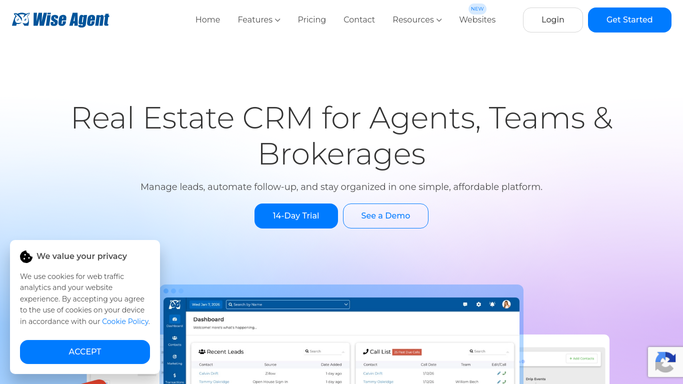
WebRun opens Wise Agent to check past clients for upcoming anniversary or follow-up dates. - Open Wise Agent and review past clients with an anniversary or follow-up date set
- Capture any date falling within the next 14 days
- Note the client, the date, and the reason for the reminder
Done when Every past client with a date in the next 14 days is captured.
-
2
Slack - post the ranked reminder
slack.com How to Automate Slack

WebRun opens Slack to post the ranked reminder. - Post the reminder list to your channel, ranked by how soon each is due
- Note whether it's an anniversary or a scheduled follow-up
Done when Today's ranked reminder list is posted in Slack.
-
3
Telegram - mirror the reminder to Telegram
telegram.org How to Automate Telegram

WebRun opens Telegram to mirror the reminder to Telegram. - Mirror the same reminder list to Telegram
- Keep the format identical to the Slack post
Done when The reminder list is posted in both Slack and Telegram.
How is each run configured?
Secure by default
Connect once, stays signed in
WebRun signs in once and keeps each session in a persistent environment, so every run picks up right where it left off.
Every action is checked against this policy before it runs.
Questions, answered
Does it contact the past client automatically?
No. WebRun only reads dates already in Wise Agent and posts an internal reminder. Reaching out to the client is left to you.
What counts as a reminder date?
A home purchase anniversary or any custom follow-up date you've set on a past client's record. WebRun reads whichever fields you point it to.
What happens once you've followed up?
Once you log the follow-up in Wise Agent, that reminder no longer shows as upcoming, so the list only ever reflects what's still outstanding.
Related templates
Put this on autopilot.
Turn it on in minutes - or have our team set it up for you.