Automated WhatConverts Qualified Lead Call Alerts
Every hour, WebRun checks WhatConverts for calls marked as a qualified lead based on your existing scoring rules, creates a same day follow up task on the assigned rep's Google Calendar, and sends the rep an internal WhatsApp alert so a hot lead gets a call back the same day it came in.
How do I follow up fast on WhatConverts qualified lead calls?
WebRun checks WhatConverts every hour for calls marked as a qualified lead, creates a same day follow up task on the assigned rep's Google Calendar, and sends an internal WhatsApp alert naming the lead and its source, so a hot inbound call gets a scheduled callback the same day it happens.
- Qualified leads get a follow up task within the hour
- Reps are alerted directly instead of scanning a report
- Every qualified call has a scheduled same day callback
Built for sales teams · marketing attribution teams · SDR teams · small business owners
What does WebRun do on every run?
The exact actions WebRun takes, in order - in plain language, so you can adjust anything.
-
WebRun signs in and gets to work
Opens
app.whatconverts.comin a real browser with your saved login - no setup, no API keys. -
1
WhatConverts - find qualified lead calls
whatconverts.com
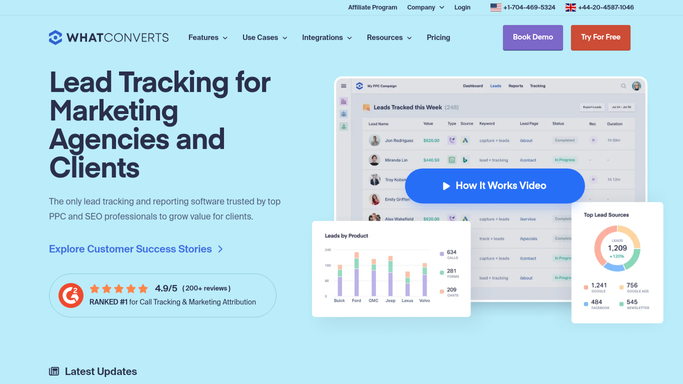
WebRun opens WhatConverts to find qualified lead calls. - Open WhatConverts and list calls from the last hour
- Check which ones are marked a qualified lead
- Capture the caller number and the source that drove the call
Done when Every qualified lead call from the last hour is captured.
-
2
Google Calendar - create a follow up task
calendar.google.com

WebRun opens Google Calendar to create a follow up task. - Add a same day follow up task on the assigned rep's calendar
- Include the caller number and the lead source
- Set it within the next few working hours
Done when A same day follow up task exists for every qualified lead call.
-
3
WhatsApp - alert the rep
whatsapp.com

WebRun opens WhatsApp to alert the rep. - Send the rep an internal WhatsApp alert naming the qualified lead
- Include the source and the follow up task time
- Never contact the lead directly, only the internal rep
Done when The rep has been alerted internally with a follow up task set.
How is each run configured?
Secure by default
Connect once, stays signed in
WebRun signs in once and keeps each session in a persistent environment, so every run picks up right where it left off.
Every action is checked against this policy before it runs.
Questions, answered
Does WebRun call the lead back?
No. It only creates a follow up task and alerts your rep internally on WhatsApp. The actual callback is placed by the rep.
How does WebRun know a call is qualified?
From WhatConverts' own lead scoring already applied to the call, WebRun reads that existing qualification rather than scoring the call itself.
How fast does a qualified lead get a follow up task?
WebRun checks WhatConverts every hour, so a qualified call gets a calendar task and a WhatsApp alert within that same hour.
Related templates
Put this on autopilot.
Turn it on in minutes - or have our team set it up for you.