Track employee enrollment and usage on Wellhub
Every Monday, WebRun opens Wellhub, checks the company account for new enrollments and last week's check in activity, posts a usage summary to Telegram for the People team, and texts HR a short list of new hires who still have not enrolled in the benefit.
- No credit card
- Under $0.01 per run
- Cancel anytime
How do I track employee enrollment and usage on Wellhub?
WebRun checks Wellhub every Monday for new enrollments and the prior week's check in activity, posts a usage summary to Telegram, and texts HR a list of new hires who have not yet signed up. It reads only company level data, so a People team can track benefit adoption without pulling reports from Wellhub by hand.
- New hire enrollment gaps are caught within their first month
- The People team gets one weekly usage summary instead of a manual pull
- No employee is enrolled or contacted without HR's involvement
Built for HR teams · People operations · benefits administrators · small business owners
What does WebRun do on every run?
The exact actions WebRun takes, in order - in plain language, so you can adjust anything.
-
WebRun signs in and gets to work
Opens
wellhub.comin a real browser with your saved login - no setup, no API keys. -
1
Wellhub - check enrollment and check ins
wellhub.com
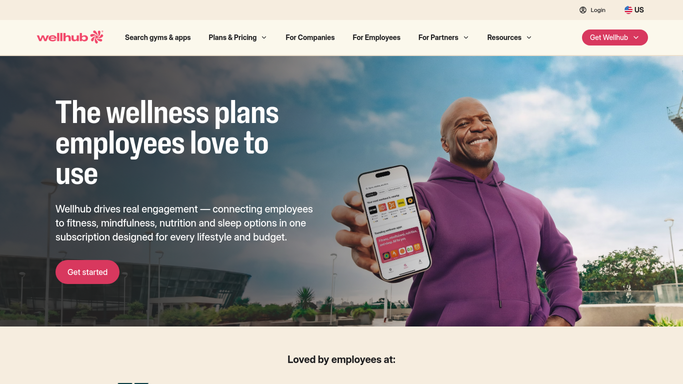
WebRun opens Wellhub to check enrollment and check ins. - Open the Wellhub company dashboard
- Note new employee enrollments and total check ins for the prior week
- List any new hire from the last 30 days who has not enrolled
Done when This week's enrollment and check in activity has been captured.
-
2
Telegram - post the weekly summary
telegram.org How to Automate Telegram

WebRun opens Telegram to post the weekly summary. - Post a weekly usage summary to the People team channel
- Include total enrolled employees and check in count for the week
- Note the week over week change
Done when The weekly usage summary has been posted to Telegram.
-
3
Twilio - text HR about unenrolled new hires
twilio.com How to Automate Twilio

WebRun opens Twilio to text HR about unenrolled new hires. - Check the list of new hires who have not yet enrolled
- Text HR the names so a personal nudge can go out
- Skip the text if every new hire is already enrolled
Done when HR has been texted about any unenrolled new hire.
How is each run configured?
Secure by default
Connect once, stays signed in
WebRun signs in once and keeps each session in a persistent environment, so every run picks up right where it left off.
Every action is checked against this policy before it runs.
Questions, answered
Does WebRun enroll employees in Wellhub itself?
No. It only reports who is not yet enrolled. Sending the invite or completing enrollment is always done by HR or the employee.
Does it see individual employees' workout details?
No. It reads only company level enrollment and check in counts, not what any individual employee did.
Who receives the unenrolled new hire text?
Only HR, on the number connected to Twilio. No employee is contacted directly by WebRun.
Related templates
Put this on autopilot.
Turn it on in minutes - or have our team set it up for you.