Automated Visitor Queue Account Export
Every morning, WebRun opens Visitor Queue, pulls the companies identified visiting your site the day before along with the pages they viewed and time on site, appends a row to your Google Sheet for each one, and logs a short account brief in Notion so sales can see who's showing interest without digging through raw visits.
How do I turn identified Visitor Queue companies into a working lead list?
WebRun checks Visitor Queue every morning for companies identified visiting your site the day before, capturing the pages they viewed and time on site. It appends a row to your Google Sheet for each one and logs a brief in Notion, so sales has a working account list without digging through raw visitor data.
- Identified visitors turn into a working list every morning, not a raw report
- Repeat visitors are tracked instead of logged twice
- No individual is identified or contacted, only company level visits
Built for B2B marketers · sales operations · account-based sales teams · small sales teams
What does WebRun do on every run?
The exact actions WebRun takes, in order - in plain language, so you can adjust anything.
-
WebRun signs in and gets to work
Opens
visitorqueue.comin a real browser with your saved login - no setup, no API keys. -
1
Visitor Queue - pull identified companies from yesterday
visitorqueue.com
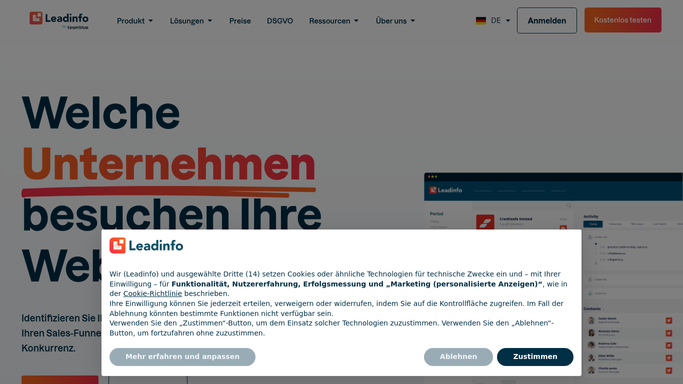
WebRun opens Visitor Queue to pull identified companies from yesterday. - Open Visitor Queue and pull companies identified visiting the site since the last check
- Capture company name, industry, pages viewed, and time on site
- Note repeat visitors separately from first-time ones
Done when Every identified company from the last day is captured with its visit details.
-
2
Notion - log a brief per new account
notion.so

WebRun opens Notion to log a brief per new account. - Open the Visiting Accounts page in Notion
- Add a brief for each new company: industry, pages viewed, and visit count
- Update the brief for repeat visitors instead of duplicating
Done when Every new or repeat visiting account has an up to date Notion brief.
-
3
Google Sheets - append rows to the master sheet
google.com

WebRun opens Google Sheets to append rows to the master sheet. - Open the master visitor tracking sheet
- Append a row for each newly identified company
- Sort by time on site so the most engaged visitors surface first
Done when The master sheet reflects every identified company from the last day.
How is each run configured?
Secure by default
Connect once, stays signed in
WebRun signs in once and keeps each session in a persistent environment, so every run picks up right where it left off.
Every action is checked against this policy before it runs.
Questions, answered
Does it identify individual visitors by name?
No. WebRun reports on the company level visits Visitor Queue identifies. It does not name or contact an individual visitor.
Does it reach out to any of these companies?
No. WebRun only logs identified visitors to Notion and Google Sheets. Any outreach is a separate step your sales team decides on.
How does it handle a company that visits more than once?
It updates that company's existing Notion brief and sheet row with the new visit instead of creating a duplicate entry.
Related templates
Put this on autopilot.
Turn it on in minutes - or have our team set it up for you.