Automated Verifone Daily Settlement Digest
Every night, WebRun opens the Verifone merchant portal, records every terminal's batch status and card volume for the day, creates a Trello card for any terminal that has not closed its batch, and sends the store manager a WhatsApp settlement summary.
How do I know if a Verifone terminal missed its daily batch close?
WebRun checks every Verifone terminal's batch status and card volume each night, flags any terminal that has not closed its batch onto a Trello card, and sends the store manager a WhatsApp summary of total volume and outstanding terminals. A missed batch close gets caught and fixed before it delays tomorrow's deposit.
- Missed batch closes are caught the same night, not the next morning
- Every terminal's volume rolls up into one WhatsApp summary
- Unclosed terminals get a Trello card instead of a forgotten email
Built for multi-location retailers · restaurant groups · store operations managers
What does WebRun do on every run?
The exact actions WebRun takes, in order - in plain language, so you can adjust anything.
-
WebRun signs in and gets to work
Opens
www.verifone.comin a real browser with your saved login - no setup, no API keys. -
1
Verifone - check each terminal's batch close status
verifone.com
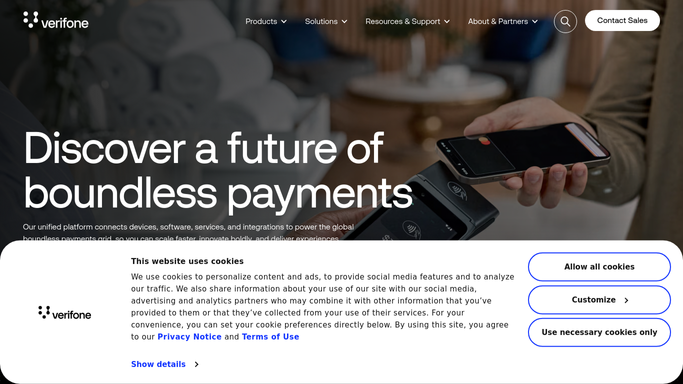
WebRun opens Verifone to check each terminal's batch close status. - Open the Verifone merchant portal and list every terminal's batch status for today
- Record total card volume and transaction count per terminal
- Flag any terminal that has not closed its batch by close of business
Done when Every terminal's batch status and volume for today is captured.
-
2
Trello - log terminals that haven't closed
trello.com

WebRun logs unclosed terminals as Trello cards. - Create a card on the Terminal Ops board for each terminal that has not closed its batch
- Add the terminal ID and location to the card
Done when Every unclosed terminal has a Trello card for follow-up.
-
3
WhatsApp - send the daily settlement summary
whatsapp.com

WebRun sends the daily settlement summary in WhatsApp. - Send the store manager a summary of total volume and any unclosed terminals
- Keep the message short enough to read on a phone
Done when The manager has today's settlement summary in WhatsApp.
How is each run configured?
Secure by default
Connect once, stays signed in
WebRun signs in once and keeps each session in a persistent environment, so every run picks up right where it left off.
Every action is checked against this policy before it runs.
Questions, answered
What happens if a terminal misses its batch close?
It gets a Trello card with the terminal ID and location so someone can close it out manually before it affects tomorrow's deposit.
Will WebRun close a batch or trigger a payout itself?
No. WebRun only checks batch status and volume and reports on it. It never closes a batch, initiates a payout, or moves money. Any batch action is left for a human to do in Verifone.
Does this work across multiple store locations?
Yes. It checks every terminal in the Verifone merchant portal, so a multi-location business gets one summary covering every store, not one per terminal.
Related templates
Put this on autopilot.
Turn it on in minutes - or have our team set it up for you.