Sync top voted Upvoty requests to your roadmap
Every Monday, WebRun opens Upvoty, reviews posts that crossed a vote threshold, checks whether each one already has a matching entry on your Notion roadmap, adds any that are missing, and logs the full backlog with vote counts to Airtable for the product team.
- No credit card
- Under $0.01 per run
- Cancel anytime
How do I sync top voted Upvoty requests to my roadmap?
WebRun reviews Upvoty every Monday for posts that crossed your vote threshold, checks each one against your Notion roadmap, and adds an entry for anything missing. It also logs the full backlog with vote counts to Airtable, so popular requests always make it onto the roadmap and the product team has a complete running record.
- Popular requests never fall through the cracks between Upvoty and the roadmap
- The product team gets a full backlog log without a manual export
- Duplicate roadmap entries are avoided since matches are skipped
Built for product teams · product managers · SaaS founders · roadmap owners
What does WebRun do on every run?
The exact actions WebRun takes, in order - in plain language, so you can adjust anything.
-
WebRun signs in and gets to work
Opens
upvoty.comin a real browser with your saved login - no setup, no API keys. -
1
Upvoty - review posts that crossed a vote threshold
upvoty.com
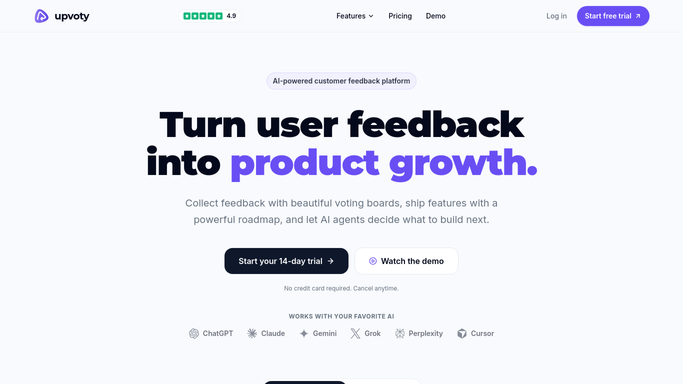
WebRun opens Upvoty to review posts that crossed a vote threshold. - Open Upvoty and pull every post with its current vote count and status
- Flag posts that crossed your configured vote threshold this week
- Note the category and current status for each flagged post
- Check for posts marked as duplicates that should be merged
Done when This week's top voted posts are identified with status and category.
-
2
Notion - reconcile against the product roadmap
notion.so How to Automate Notion

WebRun opens Notion to reconcile against the product roadmap. - Check whether each top voted post already has a matching entry on the roadmap
- Add a new roadmap entry for any post that's missing one
- Link the roadmap entry back to the original Upvoty post
Done when Every top voted post has a matching entry on the Notion roadmap.
-
3
Airtable - log the full backlog with vote counts
airtable.com How to Automate Airtable

WebRun opens Airtable to log the full backlog with vote counts. - Log the full Upvoty backlog to Airtable with post, votes, and status
- Overwrite last week's snapshot so the table reflects the current backlog
- Keep a running history tab of vote count by week
Done when The Airtable backlog reflects the current state of every post.
How is each run configured?
Secure by default
Connect once, stays signed in
WebRun signs in once and keeps each session in a persistent environment, so every run picks up right where it left off.
Every action is checked against this policy before it runs.
Questions, answered
Does WebRun reply to voters or comment on posts?
No. It only reads Upvoty data and updates your internal Notion roadmap and Airtable backlog. It never posts or comments on Upvoty itself.
What counts as a vote threshold?
Whatever number you configure, like 25 votes, so only genuinely popular requests get added to the roadmap automatically.
What if a request is already on the roadmap?
It's matched and skipped. Only posts missing a roadmap entry get a new one added, so nothing is duplicated.
Related templates
Put this on autopilot.
Turn it on in minutes - or have our team set it up for you.