Get a daily digest of your Unit program ledger
Every morning, WebRun signs in to the Unit dashboard, reads the total balance and yesterday's transaction volume across every account in your program, adds a daily close event to Google Calendar, and messages your ops team on WhatsApp with the summary so the ledger gets a same-day look.
- No credit card
- Under $0.01 per run
- Cancel anytime
How do I get a daily digest of my Unit program ledger?
WebRun checks your Unit dashboard every morning, reading the total balance and yesterday's transaction volume across every account in your program. It logs a daily close event to Google Calendar and messages your ops team the digest on WhatsApp. It never moves money itself, so your program's ledger gets a same-day look without a manual pull.
- The program ledger gets a same-day look instead of a weekly catch-up
- Unusual transaction volume gets flagged the same morning
- A daily close event keeps a running calendar record without manual entry
Built for fintechs built on Unit · embedded finance teams · program managers · fintech ops teams
What does WebRun do on every run?
The exact actions WebRun takes, in order - in plain language, so you can adjust anything.
-
WebRun signs in and gets to work
Opens
unit.coin a real browser with your saved login - no setup, no API keys. -
1
Unit - check program balances and transactions
unit.co
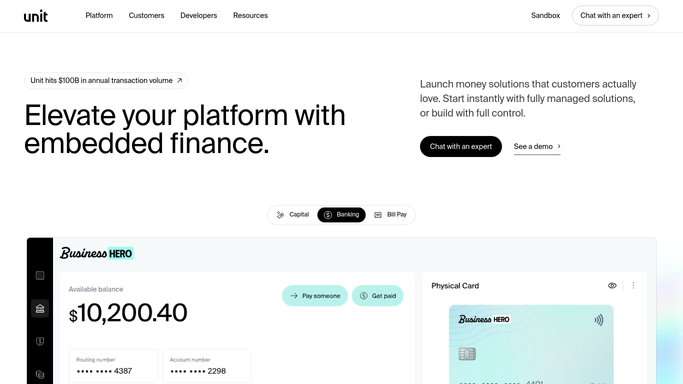
WebRun opens Unit to check program balances and transactions. - Sign in to the Unit dashboard
- Read the total balance across every account in your program
- Pull yesterday's transaction volume and count
Done when The program's total balance and yesterday's activity are captured.
-
2
Google Calendar - log the daily close event
calendar.google.com How to Automate Google Calendar

WebRun logs the daily close event in Google Calendar. - Add a daily close event noting the total balance
- Attach yesterday's transaction count to the event
- Skip creating a duplicate if today's event already exists
Done when Today's daily close event is logged with the ledger totals.
-
3
WhatsApp - message the ops digest
whatsapp.com How to Automate WhatsApp

WebRun uses WhatsApp to message the ops digest. - Message your ops team the total balance and yesterday's transaction count
- Flag if the transaction count looks unusually high or low
- Leave every account and transaction untouched
Done when Ops has been messaged today's ledger digest.
How is each run configured?
Secure by default
Connect once, stays signed in
WebRun signs in once and keeps each session in a persistent environment, so every run picks up right where it left off.
Every action is checked against this policy before it runs.
Questions, answered
Will WebRun move money or issue a payout across the program?
No. WebRun never sends a payment, issues a refund, or transfers funds on its own. It only reads balances and transaction volume from Unit and reports on them, leaving any money movement to your team.
What counts as an unusual transaction count?
A day's volume that departs noticeably from your program's recent daily average, so ops gets a flag worth looking at rather than a number with no context.
Does it change anything inside Unit?
No. It only reads balances and transaction history. It never edits an account, closes a program, or changes a setting.
Related templates
Put this on autopilot.
Turn it on in minutes - or have our team set it up for you.