Never let a Tresorit share link expire on a client
Every morning, WebRun opens Tresorit, lists the share links that expire in the next few days along with who they were sent to, drafts a short Gmail heads-up for each recipient without sending it, and posts you a WhatsApp summary of which links need renewing or letting go.
- No credit card
- Under $0.01 per run
- Cancel anytime
How do I keep track of Tresorit share links before they expire?
WebRun reviews your Tresorit share links every morning and finds the ones expiring within five days. It drafts a short Gmail heads-up for each recipient and leaves it unsent for your approval, then posts a WhatsApp summary showing which links to renew and which were never opened.
- Clients stop hitting dead links on the day they need the file
- Every expiry has a ready to send email waiting, with nothing sent unapproved
- Unused links get retired instead of quietly renewed
Built for law firms · accountants · consultancies · healthcare and finance teams
What does WebRun do on every run?
The exact actions WebRun takes, in order - in plain language, so you can adjust anything.
-
WebRun signs in and gets to work
Opens
web.tresorit.comin a real browser with your saved login - no setup, no API keys. -
1
Tresorit - find links expiring soon
tresorit.com
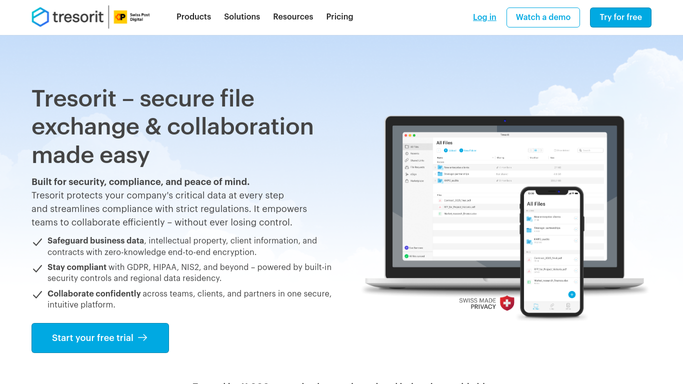
WebRun opens Tresorit to find links expiring soon. - Open Tresorit and go to the list of active shared links
- Capture links whose expiry date falls in the next 5 days
- Note the file or folder name, the recipient, the expiry date, and whether the link is password protected
- Flag any link that has never been opened, since that one may not need renewing at all
Done when Every share link expiring this week is listed with its recipient and date.
-
2
Gmail - draft a heads-up per recipient
gmail.com How to Automate Gmail

WebRun opens Gmail to draft a heads-up per recipient. - Draft one short Gmail message per recipient saying which file link expires and when
- Keep every message in Drafts. Do not send anything
- Skip recipients who already got a heads-up for the same link this week
- Label the drafts so you can find them in one place
Done when A draft is waiting for every expiring link, and nothing has been sent.
-
3
WhatsApp - send you the renewal list
whatsapp.com How to Automate WhatsApp

WebRun opens WhatsApp to send you the renewal list. - Post a short summary to your own internal WhatsApp group
- List each expiring link with its file name, recipient, and days left
- Separate the never-opened links so you can simply let those lapse
Done when You have today's expiry list in WhatsApp.
How is each run configured?
Secure by default
Connect once, stays signed in
WebRun signs in once and keeps each session in a persistent environment, so every run picks up right where it left off.
Every action is checked against this policy before it runs.
Questions, answered
Will it email my clients without me?
No. Every Gmail message is left in Drafts for you to read, edit, and send. WebRun never sends an email to a recipient on its own, and the only automatic message is the internal WhatsApp summary to your own team.
Will it extend or change my share links?
No. WebRun only reads the link list in Tresorit. It never extends an expiry, changes a password, revokes access, or creates a new link, so your sharing settings stay exactly as you left them.
Can it ignore links that nobody ever opened?
It separates them for you. Links with no recorded opens are listed apart from active ones so you can let them lapse instead of renewing something nobody needed.
Related templates
Put this on autopilot.
Turn it on in minutes - or have our team set it up for you.