Automated SurveyMonkey Detractor Alerts
Every morning, WebRun signs in to SurveyMonkey, reads the responses collected since yesterday across your live surveys, picks out the scores below your threshold and the negative free-text comments, alerts you on Telegram with the detail, and queues a short follow-up text per respondent in Twilio that a person approves before it sends.
How do I follow up with customers who leave a low survey score?
WebRun reads yesterday's SurveyMonkey responses every morning and flags the scores below your threshold along with negative free-text comments. It alerts your team on Telegram with the detail and queues a short follow-up text per respondent in Twilio, which a person approves before anything reaches a customer.
- Unhappy customers are reached the same day, not at quarter end
- Every low score arrives with the comment attached, not just a number
- No message reaches a customer without a person releasing it
Built for customer experience teams · support leads · hospitality operators · service businesses
What does WebRun do on every run?
The exact actions WebRun takes, in order - in plain language, so you can adjust anything.
-
WebRun signs in and gets to work
Opens
surveymonkey.comin a real browser with your saved login - no setup, no API keys. -
1
SurveyMonkey - read new responses
surveymonkey.com
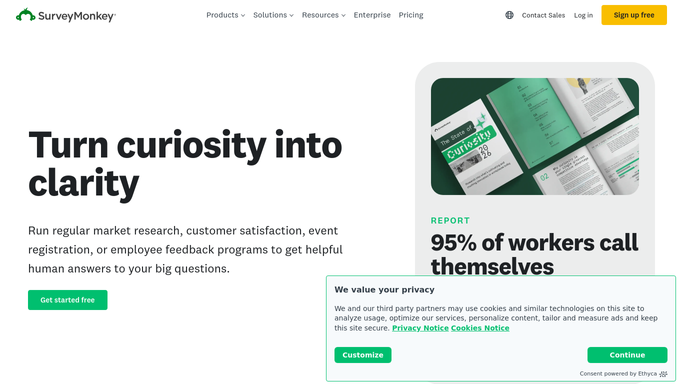
WebRun opens SurveyMonkey to read new responses. - Sign in to SurveyMonkey and open each live survey
- Collect the responses received since the last run
- Capture the rating questions and flag any score below the threshold you set
- Read the free-text answers and flag anything clearly negative
- Pull the contact details the respondent gave, where the survey collected them
- Read only. Never edit a survey, change a question, or delete a response
Done when Every new response is read and the low scores and negative comments are flagged with contact details.
-
2
Telegram - alert you on every low score
telegram.org

WebRun opens Telegram to alert you on every low score. - Alert your team channel on Telegram with the flagged responses
- Lead with how many came in and how many fell below the threshold
- Quote the score and the comment for each flagged response
- Name the survey and the date so the context is clear
- Post a one-line all clear when no response fell below the threshold
Done when Every flagged response has been raised in Telegram with its score and comment.
-
3
Twilio - queue the follow-up text
twilio.com

WebRun opens Twilio to queue the follow-up text. - Draft a short, apologetic follow-up text for each flagged respondent who left a mobile number
- Reference their feedback without quoting it back word for word
- Offer a call back and give a name they can ask for
- Leave every message queued in Twilio for a person to review and release. Nothing sends on its own
- Flag respondents who left no number so the team can reach them another way
Done when A follow-up text is drafted and queued for every reachable flagged respondent.
How is each run configured?
Secure by default
Connect once, stays signed in
WebRun signs in once and keeps each session in a persistent environment, so every run picks up right where it left off.
Every action is checked against this policy before it runs.
Questions, answered
Will it text customers on its own?
No. Every follow-up message is drafted and left queued in Twilio for a person to read and release. WebRun never sends a text to a respondent unattended and never replies inside SurveyMonkey.
What counts as a low score?
Whatever threshold you set on each rating question. WebRun also flags free-text answers that read as clearly negative, even when the numeric score sits above your line.
What if a respondent left no phone number?
They are still listed in the Telegram alert with their score and comment, and marked as unreachable by text, so your team can follow up by email or a call instead.
Related templates
Put this on autopilot.
Turn it on in minutes - or have our team set it up for you.