How to Automate SurveyMonkey
The sending and counting run inside SurveyMonkey, through the email invitation collector's reminders, a Slack post for each new response and AI analysis of the comments. Matching a low score to the order or job behind it, and building invitation lists from other systems, are manual jobs, which an AI agent called WebRun can do in a browser.
 Written by
Aiko Tanabe
Product researcher
Written by
Aiko Tanabe
Product researcher
 Reviewed by
Ben Kirkwood
Solutions engineer
Reviewed by
Ben Kirkwood
Solutions engineer
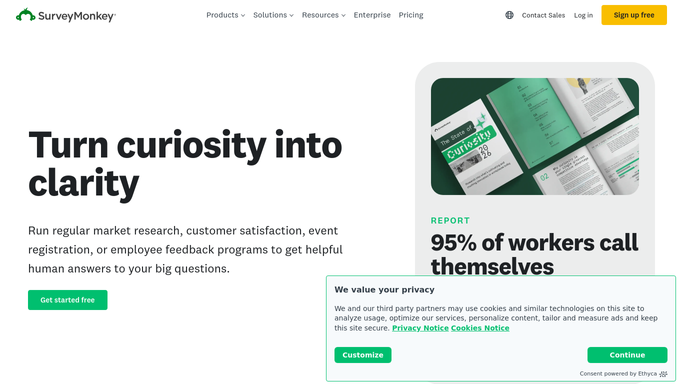
SurveyMonkey is where the satisfaction and NPS scores arrive
Customer satisfaction and NPS surveys, event feedback and employee engagement surveys go out from SurveyMonkey, and each of them produces a score somebody reports upward. A delivery business might send one after every order, and an HR team might run its engagement survey twice a year. The account usually belongs to someone in customer experience, marketing or HR who answers for that number.
A survey starts from a template or from Build with AI, which drafts one from a description, and skip logic moves each respondent past the questions that do not apply. Collectors decide how it reaches people: an email invitation, a web link, a QR code or a website embed, with SMS on Enterprise plans.
Results come back as charts and crosstabs that anyone on the account can filter. Text analysis and Analyze with AI sort through the open-text answers, and word clouds show which words keep coming up.
Detractors wait while the responses pile up
A customer gives a 3 out of 10 on Tuesday and writes one sentence about the delivery driver. Someone on the team opens the results the next morning, picks out the new low scores and tries to work out who the customer is, which order they mean and whether anyone has called them. The account manager never sees the comment, so Tuesday's detractor is still unanswered on Friday.
Open-text answers pile up untagged, and the one that mentions a safety problem sits between two that praise the website. A response rate that halved goes unnoticed until the quarterly review.
Before each send, someone exports last week's finished jobs from the system that holds them, cleans up the list and uploads it as recipients. On Monday a team member copies the numbers out of SurveyMonkey into the table leadership reads, with the response rate and last week's score beside them.
The email collector tracks recipients, but not the customer behind the score
The email invitation collector, a paid feature, sends reminders to people who have not responded and thank-you emails to those who have, schedules messages for later and, on some paid plans, shows each recipient's response status. More than 200 integrations include Salesforce, HubSpot and Microsoft Teams, and the Slack integration can post each new response as it arrives. Anyone with access can filter and compare results and export them as CSV, XLS, PDF or SPSS.
A response holds only the answers and, for an email invitation, the recipient it went to. It does not know the ride, the order or the support ticket behind the score unless someone passed that in, and it cannot go and look. A Slack post shows the score and the comment, while the job behind them stays in another system. Recipient lists still come from systems that do not talk to SurveyMonkey, and the Monday numbers still have to be carried to wherever leadership reads them.
Low scores go to the person who can fix them, with the job attached
The account manager gets Tuesday's 3 out of 10 as a Telegram message on Wednesday morning, with the customer's account, the order it refers to and who served them. The manager approves a follow-up text queued in Twilio before it reaches the customer. A manager also reads any comment that mentions a safety issue or a named member of staff the same morning, with the response linked.
The survey owner sends each week's invitations to the customers whose rides, tickets or projects closed that week, as listed in the system that holds them, with no spreadsheet export in between. On Monday leadership reads the totals, the response rate and the question summaries in the Airtable base the team already uses, with the headlines posted in Microsoft Teams. The same post puts this week's response rate beside the last four, so a halved rate shows up the week it happens. The customer experience lead reads the open-text answers grouped by topic, with the safety comment at the top.
SurveyMonkey responses stay as respondents left them
Every reply to a 3 out of 10 waits on a look-up of the customer and the job behind the score.
WebRun is an AI agent that works a real Chrome browser, signed in as you. Yesterday's SurveyMonkey responses are its first stop each morning, and for every low score the CRM or job system comes next, where the agent finds the customer and the job and prepares the follow-up.
The account manager approves every message to a customer, and each SurveyMonkey response stays exactly as the respondent submitted it. Detractor alerts come ready to switch on below, with the follow-up texts queued in Twilio.
Questions people ask
Can the follow-up to a detractor go out by text?
Yes, as a text queued in Twilio for the account manager to approve, or as an email draft. Either one names the order or job behind the score and quotes the customer's comment.
Do SurveyMonkey's reminder emails cover this?
Only the invitation side. They remind people invited through the email invitation collector, on the paid plans that include it. Building the invitation list from the system where the job happened, and following up on the answers, is what they leave.
Does the Salesforce integration make this unnecessary?
Not for the look-up. The integration gets responses into Salesforce. What it does not add is the job behind a low score from a system Salesforce does not hold, the drafted follow-up, or the Monday numbers in the base leadership reads.
On a basic SurveyMonkey plan, what can the agent see?
The agent reads responses on any plan that shows them to you. The email invitation collector and its reminders are a paid feature, recipient tracking is on some paid plans only, and the SMS collector is on Enterprise, so what the agent can see about who was invited depends on the plan.
Sources
- Sending Surveys via Email Invitation | SurveyMonkey Explains that the email invitation collector shows each recipient's response status, sends reminder and thank-you messages and can schedule messages; it is a paid feature, with invitation tracking only on some paid plans.
- SurveyMonkey features Lists templates, Build with AI, skip logic, collectors including email invitation, web link, QR code, website and SMS (Enterprise only), text analysis, word clouds, crosstabs, Analyze with AI, and exports as CSV, XLS, PDF and SPSS.
- Data Integrations and APIs | SurveyMonkey Names integrations including Salesforce, HubSpot, Microsoft Teams, Slack and Google Sheets, and describes instant Slack notifications for each new survey response.
3 ready-made SurveyMonkey workflows
Each one names the apps it touches and the exact steps it takes. Open one to read what it will do, then turn it on.

Want one of these running on your own SurveyMonkey?
Show WebRun the process once and it will run it on schedule, in your own private browser environment.