Run a pre-stream Streamlabs setup check
Every morning, WebRun opens Streamlabs, checks your scene, alert box, and mic connections, confirms today's stream slot on Google Calendar, and sends you a WhatsApp go or no-go checklist an hour before your usual start time.
- No credit card
- Under $0.01 per run
- Cancel anytime
What does WebRun do on every run?
The exact actions WebRun takes, in order - in plain language, so you can adjust anything.
-
WebRun signs in and gets to work
Opens
streamlabs.comin a real browser with your saved login - no setup, no API keys. -
1
Streamlabs - check stream setup
streamlabs.com

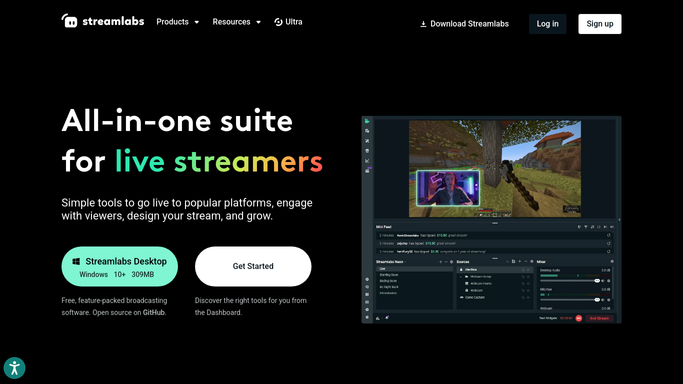
WebRun opens Streamlabs to check stream setup. - Open Streamlabs and check that the active scene, alert box, and mic source are connected
- Confirm the stream title and category are set for today's session
- Note anything disconnected or left from a prior stream
Done when Every setup item has a current connected or disconnected status.
-
2
Google Calendar - confirm today's stream slot
calendar.google.com How to Automate Google Calendar
WebRun opens Google Calendar to confirm today's stream slot. - Confirm today's scheduled stream slot is still on the calendar
- Check for any conflicting event at the same time
- Flag if no stream slot is scheduled for today
Done when Today's stream slot is confirmed or flagged as missing.
-
3
WhatsApp - send the go or no-go checklist
whatsapp.com How to Automate WhatsApp
WebRun opens WhatsApp to send the go or no-go checklist. - Send yourself a go or no-go checklist covering setup and schedule
- List anything that needs fixing before you go live
- Send it an hour before your usual start time
Done when You have today's pre-stream checklist on WhatsApp.


How do I check my Streamlabs setup before I go live?
WebRun checks Streamlabs every morning for your scene, alert box, and mic connection status, and confirms today's stream slot on Google Calendar. An hour before your usual start time, it sends a go or no-go checklist by WhatsApp listing anything that needs fixing, so a disconnected source never gets discovered after you're already live.
- Setup problems get caught before you're live, not during
- You always know if today's stream slot is actually confirmed
- The checklist arrives with enough time to fix an issue
Built for Twitch streamers · YouTube streamers · gaming creators · streaming teams
How is each run configured?
Secure by default
Connect once, stays signed in
WebRun signs in once and keeps each session in a persistent environment, so every run picks up right where it left off.
Every action is checked against this policy before it runs.
Questions, answered
Does it fix a disconnected mic or alert box?
No. WebRun only checks and reports the status. Reconnecting a source in Streamlabs is something you do yourself.
What if I'm not streaming today?
If there's no stream slot on your calendar, the checklist notes that and skips flagging setup for a session that isn't happening.
How far ahead of my stream does the checklist arrive?
About an hour before your usual start time, so there's still time to fix anything before you go live.
Related templates
Put this on autopilot.
Turn it on in minutes - or have our team set it up for you.