Make sure yesterday's recordings actually landed
Every morning, WebRun opens SquadCast, lists yesterday's sessions, checks that every participant track finished uploading and is available to download, compares the list against yesterday's recording bookings in Google Calendar, and sends you a WhatsApp message naming anything missing.
- No credit card
- Under $0.01 per run
- Cancel anytime
How do I check that all my podcast recordings uploaded successfully?
WebRun checks SquadCast every morning to confirm yesterday's sessions uploaded cleanly. It verifies each participant track is complete and downloadable, compares the session list against yesterday's recording bookings in Google Calendar, and sends you a WhatsApp message naming any incomplete track or session that never recorded.
- A failed upload is caught the next morning, while the guest can still help
- Every booked session is matched to a real recording, so none are quietly missed
- You get a one-line all-clear on the days everything worked
Built for podcasters · audio producers · video interview teams · media agencies
What does WebRun do on every run?
The exact actions WebRun takes, in order - in plain language, so you can adjust anything.
-
WebRun signs in and gets to work
Opens
squadcast.fmin a real browser with your saved login - no setup, no API keys. -
1
SquadCast - verify yesterday's recordings
squadcast.fm
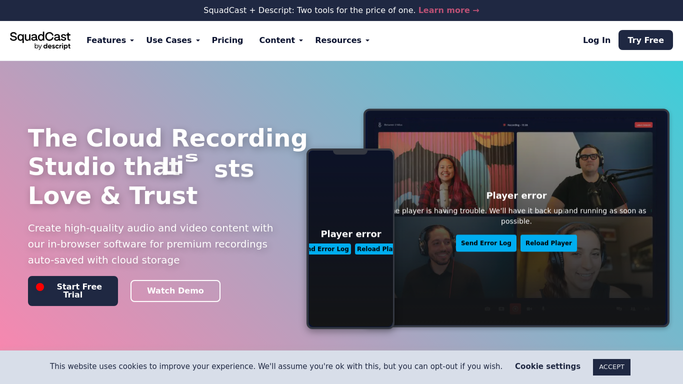
WebRun opens SquadCast to verify yesterday's recordings. - Open SquadCast and go to yesterday's sessions
- For each session, list every participant and their recorded track
- Confirm each track shows as fully uploaded and ready to download
- Note the recording length per track and flag any track noticeably shorter than the session
Done when Every track from yesterday is confirmed uploaded or flagged as incomplete.
-
2
Google Calendar - match against booked sessions
calendar.google.com How to Automate Google Calendar

WebRun opens Google Calendar to match against booked sessions. - Open yesterday's calendar and list every booked recording session
- Match each booking to a session that exists in SquadCast
- Flag any booking with no session recorded at all
- Note the guest name and the host on each unmatched booking
Done when Every booked recording is matched to a real session or flagged as missing.
-
3
WhatsApp - alert you to anything missing
whatsapp.com How to Automate WhatsApp

WebRun opens WhatsApp to alert you to anything missing. - Send yourself a short status line: sessions recorded, tracks complete, problems found
- Name every incomplete track with its session and participant
- Name every calendar booking that produced no recording
- Send a one-line all-clear when everything checks out
Done when You know on your phone whether yesterday's audio is safe.
How is each run configured?
Secure by default
Connect once, stays signed in
WebRun signs in once and keeps each session in a persistent environment, so every run picks up right where it left off.
Every action is checked against this policy before it runs.
Questions, answered
Will it message guests about a failed upload?
No. The WhatsApp message goes to you and your team only. Asking a guest to re-upload or re-record is your call, and WebRun never contacts them on its own.
Can it delete or re-process a recording?
No. WebRun reads the session list and the track status in SquadCast. It never deletes, renames, re-uploads, or triggers processing on any recording.
How does it know a session was supposed to happen?
It compares yesterday's SquadCast sessions with yesterday's recording bookings in Google Calendar, so a booking that produced no session at all is flagged by name.
Related templates
Put this on autopilot.
Turn it on in minutes - or have our team set it up for you.