Track your Sling TV renewal for you
Every Monday, WebRun opens your shared Sling TV account, checks the current channel package and its next renewal date, logs the renewal date on Google Calendar, and posts a reminder to Microsoft Teams a few days before the next charge lands.
- No credit card
- Under $0.01 per run
- Cancel anytime
How do I get reminded before my Sling TV subscription renews?
WebRun checks your shared Sling TV account every Monday for the current channel package and renewal date, logs the date on Google Calendar, and posts a reminder to Microsoft Teams a few days before the next charge, so a shared subscription never renews as a surprise on the office bill.
- The team gets a heads up before every renewal charge
- The renewal date always stays current on the shared calendar
- Package changes are picked up the same week they happen
Built for Office operations managers · Shared workspace administrators · Hospitality and lounge operators · Finance administrators
What does WebRun do on every run?
The exact actions WebRun takes, in order - in plain language, so you can adjust anything.
-
WebRun signs in and gets to work
Opens
watch.sling.com/loginin a real browser with your saved login - no setup, no API keys. -
1
Sling TV - check package and renewal date
sling.com
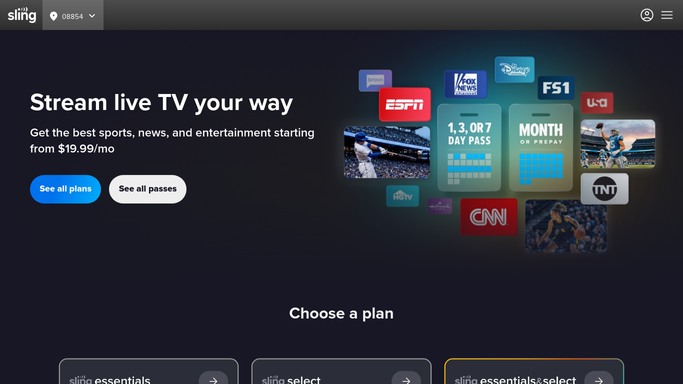
WebRun opens Sling TV to check package and renewal date. - Open the account on Sling TV
- Check the current channel package and any add ons
- Note the next renewal date and price
Done when The current package, renewal date, and price have been captured.
-
2
Google Calendar - log the renewal date
calendar.google.com How to Automate Google Calendar

WebRun opens Google Calendar to log the renewal date. - Open the office subscriptions calendar
- Add or update the renewal date entry for Sling TV
- Set a reminder a few days before the charge
Done when The calendar has the current renewal date with a reminder set.
-
3
Microsoft Teams - post the renewal reminder
microsoft.com How to Automate Microsoft Teams

WebRun opens Microsoft Teams to post the renewal reminder. - Post a reminder to the office operations channel when renewal is within a week
- Include the package, price, and renewal date
- Stay quiet when renewal isn't close
Done when The team has been reminded ahead of the renewal, and nothing else.
How is each run configured?
Secure by default
Connect once, stays signed in
WebRun signs in once and keeps each session in a persistent environment, so every run picks up right where it left off.
Every action is checked against this policy before it runs.
Questions, answered
Does WebRun renew, cancel, or change the package?
No. WebRun only reads the current package and renewal status. Renewing, canceling, or changing a plan is always done by a person.
Will the team get reminded every week?
No. Microsoft Teams only gets a reminder when renewal is within a week. Otherwise the check just updates the calendar quietly.
What if we change the channel package mid month?
It reads the live package and price on Sling TV each week, so the calendar and reminder stay accurate after a change.
Related templates
Put this on autopilot.
Turn it on in minutes - or have our team set it up for you.