Know which episodes are actually working
Every Monday, WebRun opens Simplecast, reads last week's download numbers for every published episode, ranks them against the show's recent average, files the full recap on a Trello card, and sends the host a short WhatsApp summary of what worked and what did not.
- No credit card
- Under $0.01 per run
- Cancel anytime
How do I track which podcast episodes are performing each week?
WebRun turns your Simplecast analytics into a weekly read every Monday. It captures last week's downloads for every episode, ranks each against your show's trailing average, files the full recap on a Trello card, and sends the host a short WhatsApp summary naming the top episode and the one needing promotion.
- The host knows every Monday which episode actually landed
- Underperforming episodes get flagged for a promo push instead of forgotten
- Weekly numbers live on the show board instead of a dashboard nobody opens
Built for podcast hosts · show producers · podcast networks · content marketing teams
What does WebRun do on every run?
The exact actions WebRun takes, in order - in plain language, so you can adjust anything.
-
WebRun signs in and gets to work
Opens
app.simplecast.comin a real browser with your saved login - no setup, no API keys. -
1
Simplecast - read last week's episode downloads
simplecast.com
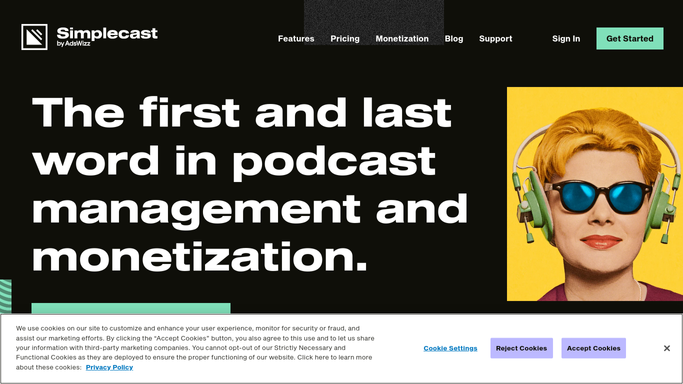
WebRun opens Simplecast to read last week's episode downloads. - Open Simplecast and go to the analytics view for your show
- Capture downloads for the last seven days, broken out by episode
- Compare each episode against the show's trailing average and note the gap
- Record the top performer, the weakest new episode, and the week-over-week total
Done when Every episode has last week's downloads and its gap to the show average.
-
2
Trello - file the recap card
trello.com How to Automate Trello

WebRun opens Trello to file the recap card. - Create a card on your show board titled with the week ending date
- Paste the ranked episode table into the card description
- Add a checklist item for any episode that landed well below the show average so it gets a promo push
Done when This week's scorecard card exists on the board with its follow-up checklist.
-
3
WhatsApp - send the host the short version
whatsapp.com How to Automate WhatsApp

WebRun opens WhatsApp to send the host the short version. - Send the host and producer a short WhatsApp summary in your team thread
- Lead with the total for the week and the direction versus last week
- Name the best episode and the one that needs a promo push, with the Trello card link
Done when The host has the week's read in WhatsApp with a link to the full card.
How is each run configured?
Secure by default
Connect once, stays signed in
WebRun signs in once and keeps each session in a persistent environment, so every run picks up right where it left off.
Every action is checked against this policy before it runs.
Questions, answered
Will it publish or promote anything on its own?
No. WebRun only reads Simplecast and writes to your own Trello board and team WhatsApp thread. Any public promo post is left for a human to write and publish.
How does it decide an episode underperformed?
It compares each episode's downloads against your show's own trailing average rather than an outside benchmark, so the bar moves with your audience.
What if we did not publish last week?
It still sends the totals for the back catalogue, so you can see whether older episodes are holding up between releases.
Related templates
Put this on autopilot.
Turn it on in minutes - or have our team set it up for you.