Review who can see your SharePoint files
Every Monday, WebRun opens SharePoint, walks the document libraries you list, records every file and folder shared with people outside your organisation or by anyone-with-the-link, files the full review in Google Drive, and texts you through Twilio whenever new external sharing has appeared since last week.
- No credit card
- Under $0.01 per run
- Cancel anytime
How do I check which SharePoint files are shared outside my company?
WebRun audits your SharePoint sharing every Monday. It walks your document libraries, lists every file shared with external guests or by anyone-with-the-link, files a dated access review in Google Drive marking what changed, and texts you through Twilio only when new external sharing has appeared.
- External sharing is reviewed weekly instead of once a year
- New external access is flagged by text within a week of appearing
- Dormant shared files surface before they become a liability
Built for IT admins · compliance teams · operations managers · information security
What does WebRun do on every run?
The exact actions WebRun takes, in order - in plain language, so you can adjust anything.
-
WebRun signs in and gets to work
Opens
sharepoint.comin a real browser with your saved login - no setup, no API keys. -
1
SharePoint - list externally shared files
sharepoint.com
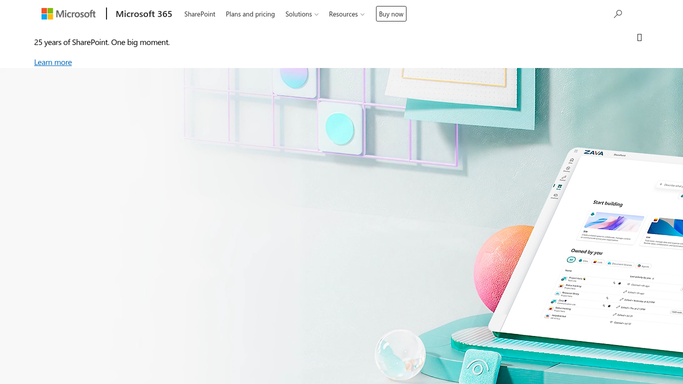
WebRun opens SharePoint to list externally shared files. - Open SharePoint and go to each document library on your review list
- Check the sharing state of files and folders, looking for external guests and anyone-with-the-link access
- Capture the file name, library, who it is shared with, and who shared it
- Note the last modified date so dormant shared files stand out
Done when Every externally shared item across the listed libraries is captured with its audience.
-
2
Google Drive - file the access review
drive.google.com How to Automate Google Drive

WebRun opens Google Drive to file the access review. - Open Google Drive and create this week's access-review document
- List every externally shared item grouped by library, with its audience and owner
- Mark which entries are new since last week's review and which have gone
- Call out dormant files that are shared externally but have not been touched in 90 days
Done when A dated access review sits in Drive showing what is shared, with what changed.
-
3
Twilio - text you about new external access
twilio.com How to Automate Twilio

WebRun opens Twilio to text you about new external access. - Text your own saved number when new external sharing has appeared since the last review
- Say how many new items there are and which library they sit in
- Stay quiet on weeks where nothing new was shared outside the company
- Send to your number only. Never text a file recipient
Done when You have a text if, and only if, new external sharing appeared this week.
How is each run configured?
Secure by default
Connect once, stays signed in
WebRun signs in once and keeps each session in a persistent environment, so every run picks up right where it left off.
Every action is checked against this policy before it runs.
Questions, answered
Will it revoke access on its own?
No. WebRun reads sharing settings and reports them. Removing a guest, killing a link, or changing a permission stays a manual action for your admin, so nobody loses access without a human deciding.
Does it read the contents of my files?
No. WebRun records file names, libraries, owners, sharing audiences, and modified dates. It does not open documents or copy their contents into the review, so nothing confidential leaves SharePoint.
Will it text me every week?
Only when something new was shared externally. The full review is always filed in Google Drive, but the Twilio text fires only on new external access, so a clean week does not interrupt you.
Related templates
Put this on autopilot.
Turn it on in minutes - or have our team set it up for you.