Turn Setster reschedule requests into ready to confirm drafts
Every few hours, WebRun opens Setster, checks for new reschedule and cancellation requests, holds a tentative replacement slot on Google Calendar for anyone rescheduling, and drafts a WhatsApp message confirming the new time, leaving it for you to review and send.
- No credit card
- Under $0.01 per run
- Cancel anytime
How do I handle Setster reschedule requests automatically?
WebRun checks Setster every few hours for new reschedule and cancellation requests, holds a tentative replacement slot on Google Calendar, and drafts a WhatsApp confirmation message for you to review and send. Reschedule requests get a fast, ready response prepared, while the actual change always waits on your approval.
- Reschedule requests get a suggested new time within hours
- No confirmation reaches a client without your approval
- Fewer requests sit unanswered waiting for staff to respond
Built for healthcare providers · financial services · government offices · enterprise service teams
What does WebRun do on every run?
The exact actions WebRun takes, in order - in plain language, so you can adjust anything.
-
WebRun signs in and gets to work
Opens
setster.comin a real browser with your saved login - no setup, no API keys. -
1
Setster - find new reschedule requests
setster.com
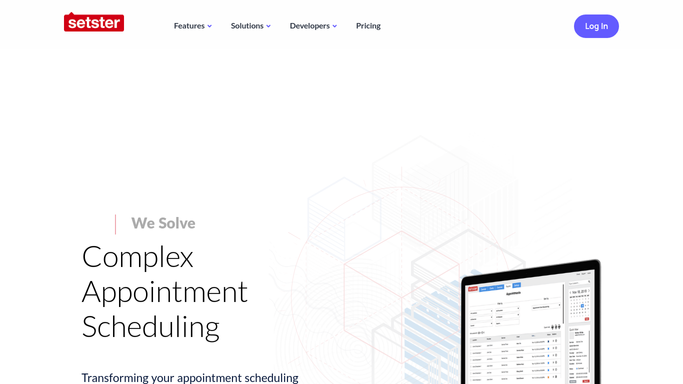
WebRun opens Setster to find new reschedule requests. - Open Setster and list reschedule and cancellation requests since the last run
- Read the original appointment and the requested change
- Note the client's preferred new time, if given
Done when Every new request has been read and understood.
-
2
Google Calendar - hold a tentative new slot
calendar.google.com How to Automate Google Calendar

WebRun opens Google Calendar to hold a tentative new slot. - Check for an open slot close to the client's preferred new time
- Hold it as tentative, not confirmed
- Leave the actual reschedule unconfirmed in Setster
Done when A tentative replacement slot is identified for every reschedule request.
-
3
WhatsApp - draft the confirmation message
whatsapp.com How to Automate WhatsApp

WebRun opens WhatsApp to draft the confirmation message. - Draft a WhatsApp message confirming the suggested new time
- Reference the original appointment being changed
- Leave every draft unsent for your review
Done when A confirmation draft is ready in WhatsApp for every reschedule request.
How is each run configured?
Secure by default
Connect once, stays signed in
WebRun signs in once and keeps each session in a persistent environment, so every run picks up right where it left off.
Every action is checked against this policy before it runs.
Questions, answered
Will it confirm the new appointment without me?
No. WebRun only holds a tentative slot and drafts the WhatsApp confirmation. You review and send the message, and confirm the change in Setster yourself.
Does it cancel the original appointment?
No. It never changes anything in Setster directly. It only prepares the calendar hold and the message for you to act on.
What if no slot is close to their preferred time?
It looks for the nearest open slot and notes in the draft that it's an alternative, so you can offer options rather than a forced time.
Related templates
Put this on autopilot.
Turn it on in minutes - or have our team set it up for you.