Turn Setmore no-shows into rebooked appointments
Every morning, WebRun opens Setmore, checks yesterday's appointments for anyone marked as a no-show, opens a Trello card per client to track rebooking outreach, and drafts a friendly WhatsApp message inviting them to rebook, left for staff to review and send.
- No credit card
- Under $0.01 per run
- Cancel anytime
How do I follow up with Setmore no-shows to get them rebooked?
Every morning, WebRun checks yesterday's Setmore appointments for no-shows, opens a Trello card per client to track rebooking, and drafts a friendly WhatsApp invitation to book a new time. Nothing sends automatically, staff review and send it, so missed appointments turn into tracked outreach instead of lost revenue nobody follows up on.
- No-shows get a tracked rebooking task the same morning
- Rebooking messages are ready to send instead of written from scratch
- No missed appointment slips through without an outreach attempt
Built for Salons and spas · barbershops · fitness studios · wellness clinics
What does WebRun do on every run?
The exact actions WebRun takes, in order - in plain language, so you can adjust anything.
-
WebRun signs in and gets to work
Opens
go.setmore.comin a real browser with your saved login - no setup, no API keys. -
1
Setmore - find yesterday's no-shows
setmore.com
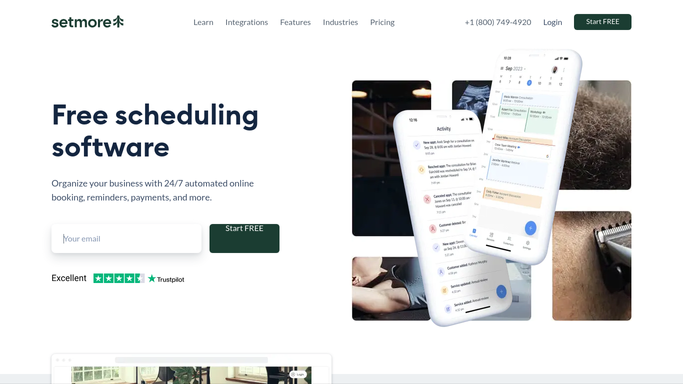
WebRun opens Setmore to find yesterday's no-shows. - Open Setmore and pull yesterday's appointments
- Check each one's attendance status
- List everyone marked as a no-show with their service and staff member
Done when Every no-show from yesterday is listed with its details.
-
2
Trello - track rebooking outreach
trello.com How to Automate Trello

WebRun opens Trello to track rebooking outreach. - Open the client outreach board
- Create a card per no-show client with the missed service
- Skip clients who already have an open rebooking card
Done when Every no-show has one open Trello card tracking rebooking outreach.
-
3
WhatsApp - draft a rebooking invite
whatsapp.com How to Automate WhatsApp

WebRun opens WhatsApp to draft a rebooking invite. - Draft a friendly message inviting the client to rebook
- Reference the missed appointment and suggest booking a new time
- Queue the draft for staff. WebRun never sends the message itself
Done when Every no-show client has a drafted rebooking message waiting for approval.
How is each run configured?
Secure by default
Connect once, stays signed in
WebRun signs in once and keeps each session in a persistent environment, so every run picks up right where it left off.
Every action is checked against this policy before it runs.
Questions, answered
Will it message clients without staff approving it first?
No. WebRun only drafts the WhatsApp message. Staff review and send it themselves, nothing goes to the client automatically.
Does it book the new appointment itself?
No. It drafts the invitation and tracks outreach on Trello. Actually booking the new time with the client is done by staff in Setmore.
Will the same client get tracked twice for one no-show?
No. It checks for an existing open rebooking card first and only creates a new one if that no-show isn't already being tracked.
Related templates
Put this on autopilot.
Turn it on in minutes - or have our team set it up for you.