Track and file every Ryanair schedule change
Every hour, WebRun opens Ryanair, checks booked flights for a schedule change, logs the change and saves the updated confirmation to Google Drive, and texts the traveler over Twilio so a changed departure time is filed and communicated within the hour it happens.
- No credit card
- Under $0.01 per run
- Cancel anytime
How do I get notified and keep a record of Ryanair schedule changes?
WebRun checks Ryanair every hour for schedule changes on booked flights, logs the change and saves the updated confirmation to Google Drive, and texts the traveler over Twilio. Travel coordinators get a same hour alert and a filed paper trail instead of discovering a changed departure time at the airport.
- Schedule changes are caught and filed within the hour
- Travelers get an SMS instead of discovering a change at the gate
- Every change has a dated confirmation on file in Drive
Built for travel coordinators · frequent flyers · small travel agencies · executive assistants
What does WebRun do on every run?
The exact actions WebRun takes, in order - in plain language, so you can adjust anything.
-
WebRun signs in and gets to work
Opens
www.ryanair.com/gb/en/lp/myaccount/loginin a real browser with your saved login - no setup, no API keys. -
1
Ryanair - check flights for schedule changes
ryanair.com
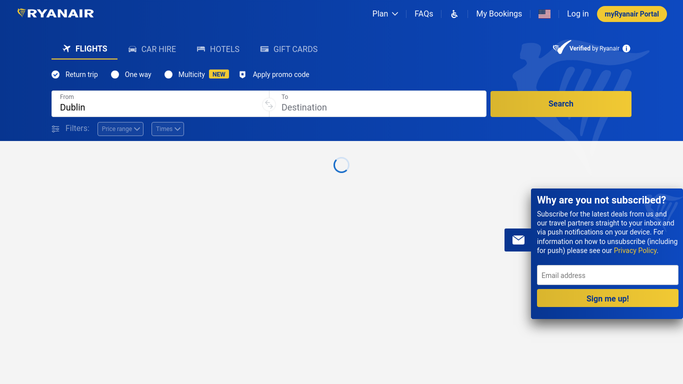
WebRun opens Ryanair to check flights for schedule changes. - Open the booking and check the current flight status
- Compare departure time against the last check
- Note the updated confirmation details if changed
Done when The flight's current status is checked against its last known schedule.
-
2
Google Drive - log the change and save the updated confirmation
drive.google.com How to Automate Google Drive

WebRun opens Google Drive to log the change and save the updated confirmation. - Save the updated confirmation to the trip folder
- Log the old and new departure time
- Skip this step when nothing has changed
Done when Any schedule change is logged with its updated confirmation.
-
3
Twilio - text the traveler
twilio.com How to Automate Twilio

WebRun opens Twilio to text the traveler. - Text the traveler the new departure time
- Keep the message to the essential change
- Skip this step when there's no change to report
Done when The traveler is texted about any schedule change.
How is each run configured?
Secure by default
Connect once, stays signed in
WebRun signs in once and keeps each session in a persistent environment, so every run picks up right where it left off.
Every action is checked against this policy before it runs.
Questions, answered
Will it rebook the flight or request compensation?
No. WebRun only reads the current flight status and files the record. Rebooking or requesting compensation is always the traveler's own decision.
Why save the confirmation to Drive as well as texting?
The SMS gets the traveler moving fast, while the filed confirmation in Drive keeps a dated record for any later expense or compensation claim.
How often is the flight checked?
Every hour while the trip is upcoming, so a change is usually caught and filed within the hour it's published.
Related templates
Put this on autopilot.
Turn it on in minutes - or have our team set it up for you.