Hand off finished Proto.io prototypes for you
When a screen set in Proto.io is marked ready for handoff, WebRun logs the prototype name, version, and link in the Google Sheets prototype tracker, and posts a handoff note on the project Notion page for the developer, including what changed since the last version, so development can start the same day a prototype is finalized.
- No credit card
- Under $0.01 per run
- Cancel anytime
What does WebRun do on every run?
The exact actions WebRun takes, in order - in plain language, so you can adjust anything.
-
WebRun signs in and gets to work
Opens
proto.ioin a real browser with your saved login - no setup, no API keys. -
1
Proto.io - find prototypes marked ready
proto.io

WebRun opens Proto.io to find prototypes marked ready. - Open Proto.io and check for screen sets newly marked ready for handoff
- Note the prototype name, version, and link
- Confirm which project it belongs to
Done when Every prototype newly marked ready has been found.
-
2
Google Sheets - log it in the tracker
google.com How to Automate Google Sheets
WebRun opens Google Sheets to log it in the tracker. - Log the prototype as a new row in the Google Sheets tracker
- Record the version and handoff date
- Keep prior versions in the sheet for reference
Done when It is logged as a row in the Sheets tracker.
-
3
Notion - post a handoff note
notion.so How to Automate Notion
WebRun opens Notion to post a handoff note. - Post a handoff note on the project Notion page with the prototype link
- Summarize what changed since the last version
- Tag the developer assigned to that project
Done when A handoff note is posted on the Notion project page.
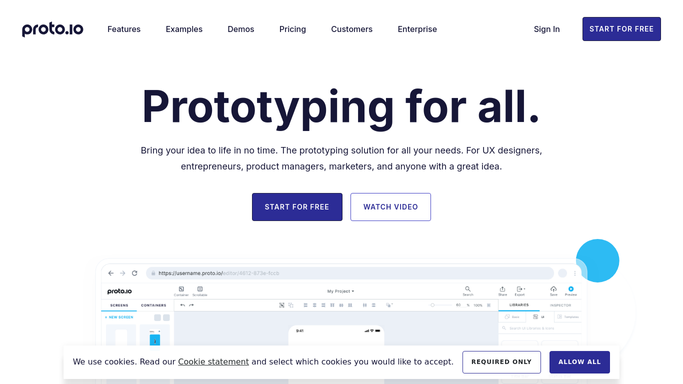


How do I hand off a finished Proto.io prototype to a developer?
WebRun watches Proto.io for prototype screen sets marked ready for handoff, logs the version in a Google Sheets tracker, and posts a Notion handoff note with the link and what changed for the developer. Development can start the same day a prototype is finalized, instead of waiting on someone to send the link.
- Developers get the latest prototype the same day it is finalized
- Every version has a logged record instead of a lost link
- Handoff notes explain what changed, not just what is new
Built for product design teams · app development agencies · startup founders · UX designers
How is each run configured?
Secure by default
Connect once, stays signed in
WebRun signs in once and keeps each session in a persistent environment, so every run picks up right where it left off.
Every action is checked against this policy before it runs.
Questions, answered
Does it build or code the prototype itself?
No. WebRun only tracks and hands off prototypes your team has already finished in Proto.io. Building it stays a manual, creative task.
What does the handoff note include?
The prototype link and a short summary of what changed since the last version, so the developer knows what to look at without a separate explanation.
Can I see older prototype versions later?
Yes. Every version gets its own row in the Google Sheets tracker, so earlier links stay available if you need to compare.
Related templates
Put this on autopilot.
Turn it on in minutes - or have our team set it up for you.