Catch Extend virtual cards before they hit limit
Every morning, WebRun opens the Extend dashboard, checks spend against the limit for every active virtual card, logs any card over 80 percent used to a Trello card with the vendor and amount, and sends a WhatsApp alert naming the cards that need attention.
- No credit card
- Under $0.01 per run
- Cancel anytime
How do I get alerted before an Extend virtual card hits its limit?
WebRun checks every active Extend virtual card each morning, flags any that has used more than 80 percent of its limit, and logs it to a Trello card with the vendor and amount spent. It then sends a WhatsApp alert naming the near-limit cards, so your team can raise a limit or issue a new card before a vendor payment gets declined.
- Near-limit cards get caught before a payment declines
- Every flagged card gets a Trello card for quick action
- Only cards that actually need attention make the WhatsApp alert
Built for procurement teams · finance operations · businesses using virtual cards for vendors
What does WebRun do on every run?
The exact actions WebRun takes, in order - in plain language, so you can adjust anything.
-
WebRun signs in and gets to work
Opens
www.paywithextend.comin a real browser with your saved login - no setup, no API keys. -
1
Extend - check virtual card spend against limits
paywithextend.com
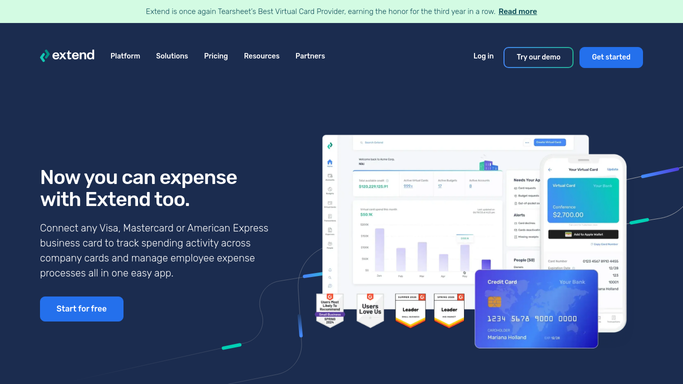
WebRun opens Extend to check virtual card spend against limits. - Open the Extend dashboard and list every active virtual card
- Record the spend so far against each card's limit
- Flag any card that has used more than 80 percent of its limit
Done when Every active card's spend is checked against its limit.
-
2
Trello - log cards nearing their limit
trello.com How to Automate Trello

WebRun logs near-limit cards to Trello. - Create a card on the Card Limits board for each virtual card over 80 percent used
- Add the vendor, limit, and amount spent so far
Done when Every near-limit card has a Trello card for review.
-
3
WhatsApp - send the near-limit alert
whatsapp.com How to Automate WhatsApp

WebRun sends the near-limit alert in WhatsApp. - Send a message listing which virtual cards are near their limit and by how much
- Keep it to cards that actually need attention
Done when You have today's near-limit alert in WhatsApp.
How is each run configured?
Secure by default
Connect once, stays signed in
WebRun signs in once and keeps each session in a persistent environment, so every run picks up right where it left off.
Every action is checked against this policy before it runs.
Questions, answered
What counts as near the limit?
More than 80 percent of a card's set limit used so far. You can adjust that threshold, and anything past it gets a Trello card and a WhatsApp mention.
Will WebRun raise a card limit or issue a new virtual card?
No. WebRun only reads spend against limits and reports on it. It never raises a limit, issues a card, or moves money. Any change to a card stays an admin action in Extend.
Why track this instead of waiting for the card to decline?
So a vendor payment does not get declined mid-transaction. Catching it at 80 percent gives your team time to raise the limit or issue a new card before it becomes a problem.
Related templates
Put this on autopilot.
Turn it on in minutes - or have our team set it up for you.