Flag proposals that stall after being viewed
Every morning, WebRun opens PandaDoc, checks every sent proposal's viewed and signed status, flags any that a recipient opened but never signed within three days, alerts the deal owner in Slack with a direct link, and files newly completed documents into Google Drive.
- No credit card
- Under $0.01 per run
- Cancel anytime
What does WebRun do on every run?
The exact actions WebRun takes, in order - in plain language, so you can adjust anything.
-
WebRun signs in and gets to work
Opens
app.pandadoc.comin a real browser with your saved login - no setup, no API keys. -
1
PandaDoc - check viewed and signed status
pandadoc.com How to Automate PandaDoc

WebRun opens PandaDoc to check viewed and signed status. - Open PandaDoc and list every sent proposal
- Check each one's viewed date and current status
- Flag proposals viewed more than three days ago with no signature yet
Done when Every sent proposal is sorted into stalled, pending, or completed.
-
2
Slack - alert the deal owner
slack.com How to Automate Slack
WebRun opens Slack to alert the deal owner. - Post the deal owner a message naming each stalled proposal
- Include the recipient, the amount, and days since it was viewed
- Link straight back to the proposal in PandaDoc
Done when The deal owner has today's stalled-proposal alert in Slack.
-
3
Google Drive - archive completed documents
drive.google.com How to Automate Google Drive
WebRun opens Google Drive to archive completed documents. - Download every proposal that reached Completed status overnight
- File it into the matching client or deal folder
- Name the file with the client and completion date
Done when Every newly completed document is filed in Drive.
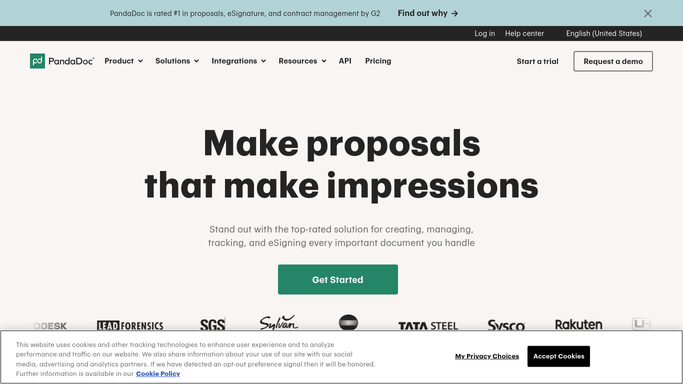


How do I know when a PandaDoc proposal has stalled after being viewed?
WebRun checks your PandaDoc proposals every morning and flags any that a recipient opened but never signed within three days, alerting the deal owner in Slack with the amount and a direct link. Newly completed documents are filed into Google Drive automatically, so stalled deals get noticed the same day instead of going quiet.
- Stalled proposals get flagged within a day of going quiet, not weeks later
- Deal owners see amount and days-viewed in one Slack alert
- Signed documents are filed in Drive with zero manual downloading
Built for Sales teams · account executives · agencies sending proposals · sales operations
How is each run configured?
Secure by default
Connect once, stays signed in
WebRun signs in once and keeps each session in a persistent environment, so every run picks up right where it left off.
Every action is checked against this policy before it runs.
Questions, answered
Does it resend the proposal to the client?
No. WebRun only alerts the deal owner in Slack. Any follow-up sent to the client is a decision and an action the owner takes themselves.
How does it decide a proposal is stalled?
It reads the live viewed and signed status in PandaDoc each morning and only flags proposals opened more than three days ago that still show no signature.
What happens once a proposal is signed?
It drops off the stalled list automatically and WebRun files the completed document into the right Google Drive folder instead.
Related templates
Put this on autopilot.
Turn it on in minutes - or have our team set it up for you.