File every signed PandaDoc where finance can find it
Every morning, WebRun opens PandaDoc, finds the documents that reached completed since yesterday, moves each into the folder its template belongs to, posts the signer, value and key dates into the finance channel in Microsoft Teams, and texts the finance lead when a large agreement lands.
- No credit card
- Under $0.01 per run
- Cancel anytime
How do I file signed contracts and log their terms automatically?
Every morning WebRun opens PandaDoc, finds the documents completed since yesterday, and moves each into the folder its template belongs to. It posts the signer, value and key dates into your Microsoft Teams finance channel and texts the finance lead through Twilio when a large agreement lands, so nothing is filed by hand.
- Signed agreements are filed the morning after they complete
- Finance sees value and renewal dates without opening each document
- Documents that completed with missing fields are flagged the same day
Built for finance teams · sales operations · contract administrators · agencies
What does WebRun do on every run?
The exact actions WebRun takes, in order - in plain language, so you can adjust anything.
-
WebRun signs in and gets to work
Opens
app.pandadoc.comin a real browser with your saved login - no setup, no API keys. -
1
PandaDoc - file the completed documents
pandadoc.com
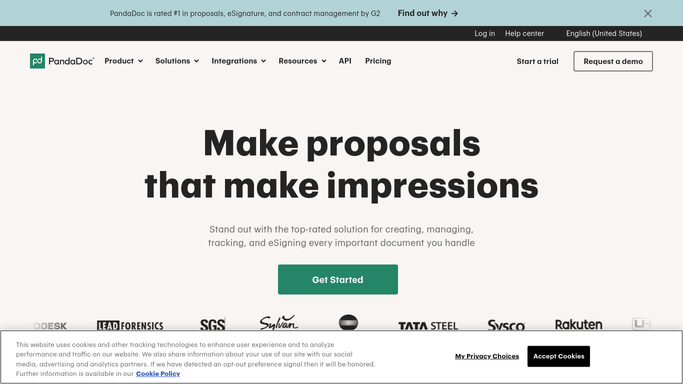
WebRun opens PandaDoc to file the completed documents. - Open PandaDoc and filter documents to completed, changed since yesterday
- For each one, read the recipients, the template it came from, the total value and the start and end dates
- Move the document into the folder that matches its template, and skip anything already filed
Done when Every newly completed document sits in the right folder with its terms read.
-
2
Microsoft Teams - log the terms for finance
microsoft.com How to Automate Microsoft Teams

WebRun opens Microsoft Teams to log the terms for finance. - Post one line per signed document into the finance channel with signer, value, start date and renewal date
- Link straight to the document in PandaDoc so nobody downloads a copy
- Flag any document that completed with a missing field or an unfilled value
Done when Finance can see every agreement signed yesterday with its terms.
-
3
Twilio - text the finance lead on big ones
twilio.com How to Automate Twilio

WebRun opens Twilio to text the finance lead on big ones. - Text the finance lead when a document lands above the value you set
- Include the signer, the amount and the start date
- Send only to your own team numbers. WebRun never texts the signer
Done when Large agreements have reached the finance lead by text.
How is each run configured?
Secure by default
Connect once, stays signed in
WebRun signs in once and keeps each session in a persistent environment, so every run picks up right where it left off.
Every action is checked against this policy before it runs.
Questions, answered
Will it message the people who signed?
No. WebRun only posts internally to your finance channel and texts your own team numbers. Any message to a signer would be drafted and left for a person to send.
Does it send or edit documents?
No. It reads documents that are already completed and moves them between your own folders. It never sends, resends, edits, or deletes a document in PandaDoc.
What if the value field was left empty?
The document still gets filed, and the Teams line is flagged as incomplete so finance can chase the missing figure the same day.
Related templates
Put this on autopilot.
Turn it on in minutes - or have our team set it up for you.