Log your finalized Paletton scheme for you
When a new color scheme is finalized in Paletton for a project, WebRun captures the hex values for the primary, secondary, and accent colors, logs them on the matching project card in Trello, and posts to Microsoft Teams that the palette is ready to fold into the design system, so a finished color decision does not sit unrecorded outside Paletton.
- No credit card
- Under $0.01 per run
- Cancel anytime
What does WebRun do on every run?
The exact actions WebRun takes, in order - in plain language, so you can adjust anything.
-
WebRun signs in and gets to work
Opens
paletton.comin a real browser with your saved login - no setup, no API keys. -
1
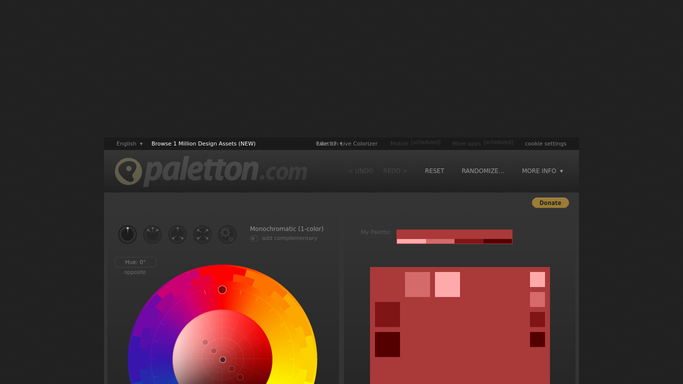
Paletton - check the finalized color scheme
paletton.com

WebRun opens Paletton to check the finalized color scheme. - Open Paletton and check for a newly finalized color scheme
- Capture the hex values for primary, secondary, and accent colors
- Note which project the scheme is for
Done when The newly finalized color scheme has been captured.
-
2
Trello - log the palette on the project card
trello.com How to Automate Trello
WebRun opens Trello to log the palette on the project card. - Log the palette values on the matching Trello project card
- Attach a note of how each color is intended to be used
- Move the card into the design system ready column
Done when The palette values are logged on the Trello card.
-
3
Microsoft Teams - post that the palette is ready
microsoft.com How to Automate Microsoft Teams
WebRun opens Microsoft Teams to post that the palette is ready. - Post to the design channel in Microsoft Teams that the palette is ready
- Include a link to the Trello card
- Tag whoever maintains the design system
Done when The team has been notified in Microsoft Teams.


How do I record and hand off a finalized Paletton color scheme?
WebRun watches Paletton for a newly finalized color scheme, captures the hex values, logs them on the matching Trello project card, and posts to Microsoft Teams that the palette is ready. A finished color decision gets recorded and handed off the same day, instead of living only inside a Paletton session.
- Finalized color decisions get recorded the same day, not forgotten
- The design system maintainer finds out without checking Paletton
- Every project card carries its own logged, ready to use palette
Built for design system teams · freelance designers · small design studios · front end developers
How is each run configured?
Secure by default
Connect once, stays signed in
WebRun signs in once and keeps each session in a persistent environment, so every run picks up right where it left off.
Every action is checked against this policy before it runs.
Questions, answered
Does it design the color scheme itself?
No. WebRun only logs a color scheme your team has already finalized in Paletton. Choosing the colors stays a manual, creative decision.
What if the palette changes later?
A newly finalized scheme in Paletton triggers another log and notice, so the Trello card always reflects the latest version.
Does it update the design system automatically?
No. It logs the palette and notifies the team, but adding the colors into the actual design system files is left to whoever maintains it.
Related templates
Put this on autopilot.
Turn it on in minutes - or have our team set it up for you.