Stay ahead of a full OneDrive
Every Monday, WebRun signs in to OneDrive, reads how much storage is used and how much is left, finds the largest files and the ones nobody has opened in months, writes them into an Airtable cleanup queue with their size and last modified date, and books a Google Calendar slot to work through the queue whenever storage crosses the threshold you set.
- No credit card
- Under $0.01 per run
- Cancel anytime
How do I keep OneDrive from running out of storage?
WebRun checks your OneDrive storage every Monday, reads how much space is left, and finds the largest files and the ones untouched for months. It writes them into an Airtable cleanup queue with sizes and dates, and books Google Calendar time to clear them whenever storage crosses your threshold.
- Storage pressure is visible weeks before the drive fills up
- A ranked queue of what to clear, with sizes attached
- No file is ever deleted by the run
Built for IT administrators · office managers · small business owners · operations teams
What does WebRun do on every run?
The exact actions WebRun takes, in order - in plain language, so you can adjust anything.
-
WebRun signs in and gets to work
Opens
onedrive.live.comin a real browser with your saved login - no setup, no API keys. -
1
OneDrive - check storage and big files
onedrive.live.com
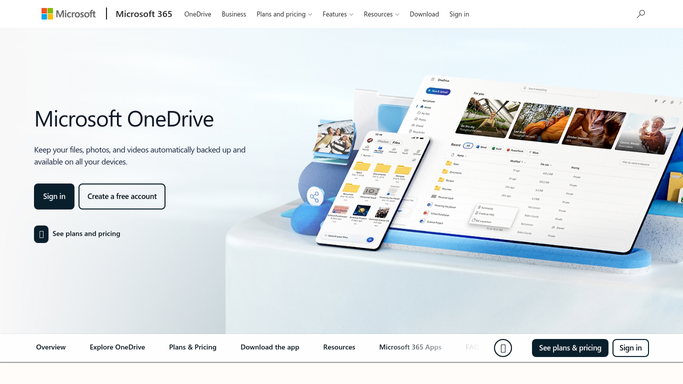
WebRun opens OneDrive to check storage and big files. - Sign in to OneDrive and read the storage used and storage remaining figures
- Sort your files by size and capture the largest ones with their folder and owner
- Capture files not modified for six months or more, and note anything sitting in the recycle bin still counting against the quota
Done when Storage headroom, the largest files, and the longest untouched files are all captured.
-
2
Airtable - build the cleanup queue
airtable.com How to Automate Airtable

WebRun opens Airtable to build the cleanup queue. - Open your cleanup base in Airtable and add a row per candidate file
- Record the file name, folder, size, last modified date, and why it was flagged
- Set every row to Needs review, and update rows that were cleared since the last run
Done when The Airtable cleanup queue reflects this week's candidates.
-
3
Google Calendar - book cleanup time
calendar.google.com How to Automate Google Calendar

WebRun opens Google Calendar to book cleanup time. - Book a 30 minute cleanup slot when storage used passes your threshold
- Put the used percentage and the top five reclaimable files in the event description
- Deleting and archiving stay manual: WebRun never removes a file from OneDrive
Done when Cleanup time is booked whenever storage is running short.
How is each run configured?
Secure by default
Connect once, stays signed in
WebRun signs in once and keeps each session in a persistent environment, so every run picks up right where it left off.
Every action is checked against this policy before it runs.
Questions, answered
Will it delete files?
No. Deletion is irreversible, so it stays with you. WebRun lists candidates in Airtable and books you time to review them, and every removal or archive is done by a person inside OneDrive.
Does it move or rename anything?
No. The OneDrive step is read only. WebRun opens your storage view and file list, copies sizes and dates, and changes nothing in the drive itself.
What if storage is nowhere near full?
You still get the Airtable queue refreshed for visibility, but no calendar slot is booked. WebRun only takes time out of your week once used storage passes the threshold you set.
Related templates
Put this on autopilot.
Turn it on in minutes - or have our team set it up for you.