Catch the gaps in your data before they cost you
Every morning, WebRun opens NocoDB, runs your data quality rules across the tables you nominate, counting rows with required fields empty, likely duplicates and records untouched past your staleness limit, posts a digest with the counts and worst offenders to Microsoft Teams, and pings the responsible owner on WhatsApp when a blocking gap appears.
- No credit card
- Under $0.01 per run
- Cancel anytime
How do I find missing fields and duplicate records in my database?
WebRun audits your NocoDB data every morning. It checks the tables you nominate for empty required fields, likely duplicates and records untouched past your staleness limit, posts the counts and worst offenders to Microsoft Teams, and pings owners on WhatsApp about blocking gaps.
- Empty required fields are caught the day after they appear
- Duplicates surface before they reach a report or an invoice
- Every gap has an owner named, so cleanup actually happens
Built for operations teams · data managers · no-code builders · small business owners
What does WebRun do on every run?
The exact actions WebRun takes, in order - in plain language, so you can adjust anything.
-
WebRun signs in and gets to work
Opens
app.nocodb.comin a real browser with your saved login - no setup, no API keys. -
1
NocoDB - check tables against your rules
nocodb.com
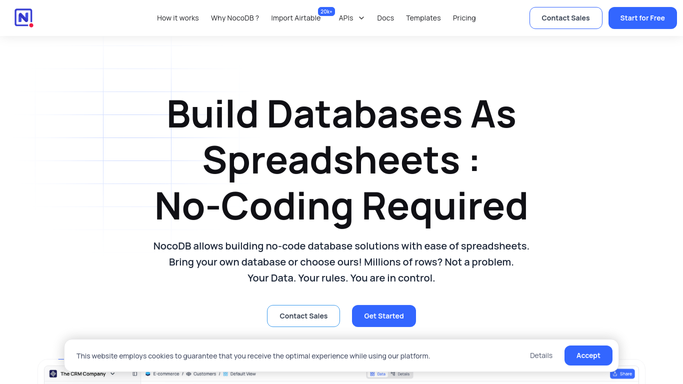
WebRun opens NocoDB to check tables against your rules. - Open NocoDB and load each table you nominated for checking
- Count rows with any required field left empty and note which field is missing most often
- Look for likely duplicates using the matching columns you chose, such as email or reference number
- List records not updated within your staleness limit, with the owner recorded on each row
Done when Every nominated table has counts for missing fields, duplicates and stale rows.
-
2
Microsoft Teams - post the quality digest
microsoft.com How to Automate Microsoft Teams

WebRun opens Microsoft Teams to post the quality digest. - Open your operations channel in Microsoft Teams
- Post one line per table with the row count, missing field count, duplicate count and stale count
- Name the three worst offending records in each category with a link to the row
- Show the change against yesterday so you can see whether cleanup is winning
Done when Today's data quality digest is posted in the Teams channel.
-
3
WhatsApp - ping owners about blockers
whatsapp.com How to Automate WhatsApp

WebRun opens WhatsApp to ping owners about blockers. - Open your internal team group in WhatsApp
- Post only the gaps you marked as blocking, naming the record owner and the missing field
- Keep the message to the count and the owners so the group stays readable
- Never edit, merge or delete a record. WebRun reports gaps and a person fixes them in NocoDB
Done when Blocking gaps have been raised with their owners, or nothing was posted because there are none.
How is each run configured?
Secure by default
Connect once, stays signed in
WebRun signs in once and keeps each session in a persistent environment, so every run picks up right where it left off.
Every action is checked against this policy before it runs.
Questions, answered
Will it change or delete my records?
No. WebRun reads your tables and reports what looks wrong. It never edits a field, never merges duplicates and never deletes a row, so a false positive can never damage your data.
How do I define a duplicate?
You pick the matching columns. Tell WebRun that two rows sharing an email address or a reference number count as duplicates, and only those pairs are reported.
Can it check more than one base?
Yes. Nominate any number of tables across your bases and each one gets its own line in the digest, with its own required fields and staleness limit.
Related templates
Put this on autopilot.
Turn it on in minutes - or have our team set it up for you.