Warn people before their storage quota blocks their uploads
Every morning, WebRun opens Nextcloud, reads the storage quota and used space for each user and group, works out who is close to filling their allowance and how fast they are growing, opens a Trello card for the IT team on every account at risk, and drafts a heads-up email to the user.
- No credit card
- Under $0.01 per run
- Cancel anytime
How do I warn users before they run out of storage quota?
WebRun checks your Nextcloud storage every morning. It reads each user's quota and how much they have used, works out who is close to filling their allowance, opens a Trello card for the IT team on every account at risk, and drafts a heads-up email so nobody loses an upload mid-deadline.
- Users hear about a full account before an upload fails
- Growth rate shows how many days each account has left
- No file is deleted and no quota changed without an admin
Built for IT admins · system administrators · operations teams · self-hosted teams
What does WebRun do on every run?
The exact actions WebRun takes, in order - in plain language, so you can adjust anything.
-
WebRun signs in and gets to work
Opens
nextcloud.comin a real browser with your saved login - no setup, no API keys. -
1
Nextcloud - read quota and used space
nextcloud.com
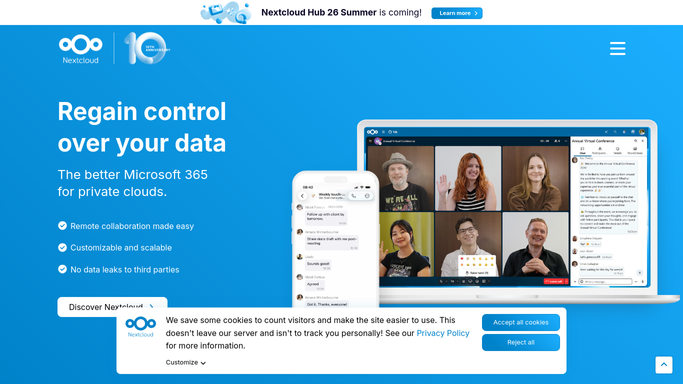
WebRun opens Nextcloud to read quota and used space. - Open Nextcloud admin and list users with their quota and used space
- Work out the percentage used on each account and on each group share
- Compare against yesterday to see which accounts are filling fastest
- Flag anyone above the warning level you set
Done when Every account has a used percentage and a growth rate against yesterday.
-
2
Trello - open a card per account at risk
trello.com How to Automate Trello

WebRun opens Trello to open a card per account at risk. - Open a card per account above the warning level, fullest first
- Show the quota, the used space, and the days until the account fills at current growth
- Close cards for accounts that dropped back under the level
Done when IT has one Trello card per account at risk of filling up.
-
3
Gmail - draft the heads-up email
gmail.com How to Automate Gmail

WebRun opens Gmail to draft the heads-up email. - Draft a short, friendly note to each user with their used space and quota
- Suggest archiving or clearing large old files before uploads start failing
- Leave every message unsent in Drafts for you to review and send
Done when A heads-up draft sits in Gmail for each user near their quota.
How is each run configured?
Secure by default
Connect once, stays signed in
WebRun signs in once and keeps each session in a persistent environment, so every run picks up right where it left off.
Every action is checked against this policy before it runs.
Questions, answered
Will it delete files to free up space?
No. WebRun never deletes, moves, or archives a file. It reports how full each account is and leaves every decision about what to remove with the person who owns the files.
Does it email users automatically?
No. Each heads-up note is left unsent in Gmail Drafts. You read it, decide whether the person needs it, and send it yourself.
Can it raise someone's quota?
No. Changing a quota is an admin action, so WebRun only flags the account and opens a Trello card. Your admin raises the limit if that is the right answer.
Related templates
Put this on autopilot.
Turn it on in minutes - or have our team set it up for you.