Close the share links you forgot were open
Every Monday, WebRun signs in to Nextcloud, lists every file and folder shared by link or with an external party, records which shares expire this week and which have no expiry date at all, books a short review slot in Google Calendar for the owner, and posts the full list to Microsoft Teams.
- No credit card
- Under $0.01 per run
- Cancel anytime
How do I review which Nextcloud share links are still open?
WebRun signs in to Nextcloud every Monday and lists every file and folder shared by public link, recording expiry dates, passwords and edit rights. It posts the shares needing a decision to Microsoft Teams and books a review slot in Google Calendar, so links never quietly stay open forever.
- Links with no expiry get a deliberate decision every week
- Editable public shares are the first thing the review looks at
- A dated calendar slot means the review actually happens
Built for IT administrators · compliance teams · operations managers · small business owners
What does WebRun do on every run?
The exact actions WebRun takes, in order - in plain language, so you can adjust anything.
-
WebRun signs in and gets to work
Opens
nextcloud.comin a real browser with your saved login - no setup, no API keys. -
1
Nextcloud - list every open share and its expiry
nextcloud.com
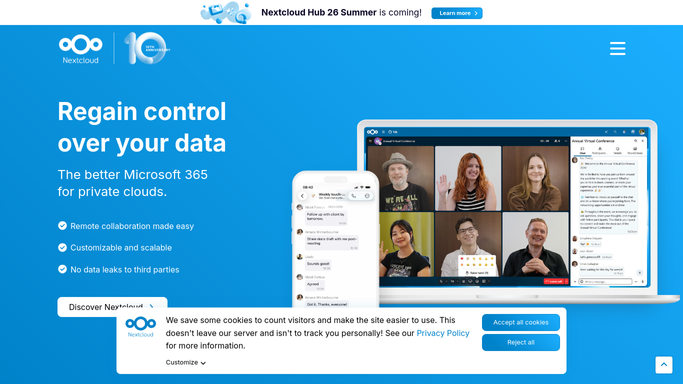
WebRun opens Nextcloud to list every open share and its expiry. - Sign in to Nextcloud and open your shares view
- List every file and folder shared by public link, including who created each share
- Record the expiry date, whether a password is set, and whether the share allows editing
- Flag shares expiring within the next seven days and shares with no expiry date at all
- Read only. Never revoke, extend, or change a share during the run
Done when Every open share is listed with its expiry, its permissions, and its owner.
-
2
Microsoft Teams - post the shares needing review
microsoft.com How to Automate Microsoft Teams

WebRun opens Microsoft Teams to post the shares needing review. - Post the weekly share review to your operations channel
- Start with links that allow editing and have no expiry, since those carry the most risk
- List shares expiring this week so owners can extend them deliberately
- Show the owner beside each share so the right person acts
- Note what changed since last week's review
Done when The channel has this week's share review list.
-
3
Google Calendar - book the review slot
calendar.google.com How to Automate Google Calendar

WebRun opens Google Calendar to book the review slot. - Open Google Calendar and create a short review slot for the person who owns file governance
- Title it with the week and the count of shares needing a decision
- Put the Teams message link and the summary in the event description
- Set it before the shares expiring this week actually lapse
- Only add events to the internal calendar you nominate. Never invite external guests
Done when A dated review slot exists before this week's shares expire.
How is each run configured?
Secure by default
Connect once, stays signed in
WebRun signs in once and keeps each session in a persistent environment, so every run picks up right where it left off.
Every action is checked against this policy before it runs.
Questions, answered
Will it revoke my share links?
No. WebRun lists shares and reports them. Revoking a link, changing its expiry, or removing edit rights stays with the owner, because cutting off a live share can break someone's work.
Why flag shares with no expiry?
Because a link with no expiry stays live forever, including for people who have left a project or a company. Flagging them weekly means each one gets a deliberate decision.
Does the calendar event invite anyone outside?
No. The review slot is created on the internal calendar you nominate and no external guests are invited, so no share detail leaves your organisation.
Related templates
Put this on autopilot.
Turn it on in minutes - or have our team set it up for you.