Automated Medallia Feedback Theme Reports
Every Monday, WebRun signs into Medallia, reads last week's survey responses and written comments, groups them into recurring themes with a count and an example quote each, logs the themes in Airtable, and drafts the leadership summary in Gmail for you to approve and send.
How do I summarise customer survey comments into themes each week?
WebRun reads last week's Medallia survey comments every Monday and groups them into recurring themes, each with a response count and a representative quote. It logs the themes in Airtable against previous weeks, then drafts a leadership summary in Gmail and leaves it unsent for your approval.
- Written feedback becomes named themes instead of an unread comment list
- Rising issues are visible against previous weeks in Airtable
- Leadership gets one summary a week, written and ready to send
Built for customer experience teams · support leaders · operations managers · retail and hospitality brands
What does WebRun do on every run?
The exact actions WebRun takes, in order - in plain language, so you can adjust anything.
-
WebRun signs in and gets to work
Opens
www.medallia.comin a real browser with your saved login - no setup, no API keys. -
1
Medallia - read last week's feedback
medallia.com
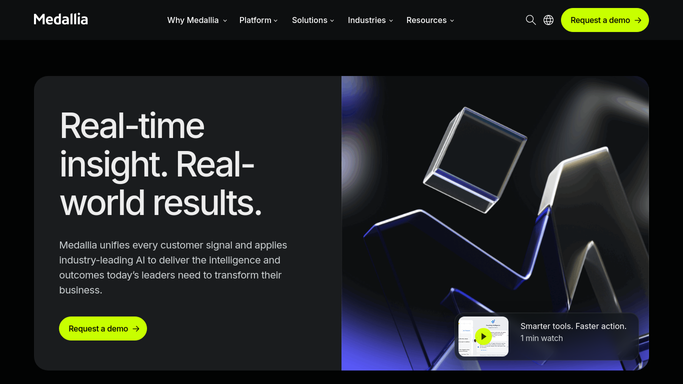
WebRun opens Medallia to read last week's feedback. - Sign into Medallia and open the feedback for the last 7 days
- Capture every response that carries a written comment
- Group the comments into recurring themes such as wait time, product quality, or staff helpfulness
- Count the responses behind each theme and pick one representative quote
Done when Last week's comments are grouped into themes with a count and an example each.
-
2
Airtable - log the themes
airtable.com

WebRun opens Airtable to log the themes. - Open your voice of customer base in Airtable
- Add a row per theme with the week, the response count, and the example quote
- Link the theme to previous weeks so a rising issue is visible over time
- Mark any theme whose count doubled against the prior week
Done when Every theme from last week has an Airtable row linked to its history.
-
3
Gmail - draft the leadership summary
gmail.com

WebRun opens Gmail to draft the leadership summary. - Open Gmail and compose the weekly summary to your leadership list
- Lead with the three largest themes, each with its count and a quote
- Note any theme that grew sharply against the previous week
- Save it as a draft. Nothing is sent until you have read it and pressed send
Done when The weekly theme summary is sitting in Gmail as an unsent draft.
How is each run configured?
Secure by default
Connect once, stays signed in
WebRun signs in once and keeps each session in a persistent environment, so every run picks up right where it left off.
Every action is checked against this policy before it runs.
Questions, answered
Will it email leadership without me reading it first?
No. The summary is saved as an unsent Gmail draft. You read it, edit the wording, and press send yourself. WebRun never sends the report on its own.
Does it reply to customers who left feedback?
No. WebRun never responds to a survey, closes a case, or contacts a respondent. It only reads the feedback and builds an internal report.
How are the themes decided?
By grouping the actual wording of last week's comments into recurring topics, with the response count and a real quote shown for each so you can check the grouping yourself.
Related templates
Put this on autopilot.
Turn it on in minutes - or have our team set it up for you.