Draft your weekly Marvel App client update for you
Every Friday, WebRun opens Marvel App, lists every prototype updated this week for a client project, logs the weekly activity in Airtable, and drafts a Gmail update for the client summarizing what changed and what is coming next, leaving it unsent so the account manager can review it before it reaches the client inbox.
- No credit card
- Under $0.01 per run
- Cancel anytime
What does WebRun do on every run?
The exact actions WebRun takes, in order - in plain language, so you can adjust anything.
-
WebRun signs in and gets to work
Opens
marvelapp.com/signinin a real browser with your saved login - no setup, no API keys. -
1
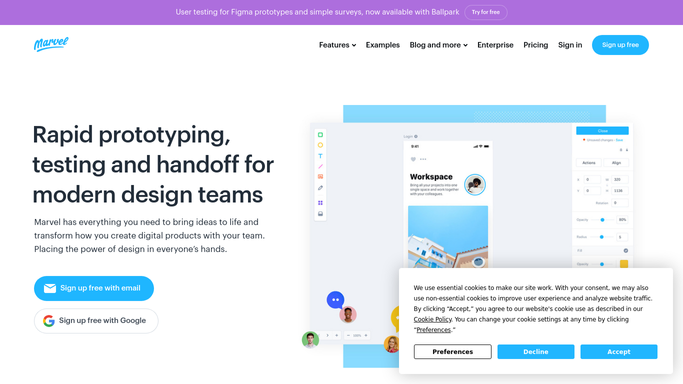
Marvel App - list prototypes updated this week
marvelapp.com

WebRun opens Marvel App to list prototypes updated this week. - Open Marvel App and list every prototype screen updated this week for the client project
- Note what changed on each screen
- Record the prototype link for reference
Done when Every prototype update for the client project this week is listed.
-
2
Airtable - log the weekly activity
airtable.com How to Automate Airtable
WebRun opens Airtable to log the weekly activity. - Log the weekly activity in Airtable against the client project row
- Note the date and summary of changes
- Keep a running history per client
Done when The weekly activity is logged in Airtable.
-
3
Gmail - draft a client update email
gmail.com How to Automate Gmail
WebRun opens Gmail to draft a client update email. - Draft a Gmail weekly update summarizing what changed for the client
- Include the prototype link and a short plain language summary
- Leave the email unsent for the account manager to review
Done when A client update draft exists in Gmail for review.


How do I send clients a weekly update on Marvel App prototype progress?
WebRun tallies Marvel App prototype changes each week, logs the activity in Airtable, and drafts a Gmail client update summarizing what changed in plain language. The account manager reviews and sends it, so clients who prefer email over logging into the prototype tool stay informed without extra typing.
- Clients get a weekly update without logging into the prototype tool
- The account manager reviews one draft instead of writing from scratch
- Every week of progress has a logged record in Airtable
Built for design agencies · freelance UX designers · account managers · product consultancies
How is each run configured?
Secure by default
Connect once, stays signed in
WebRun signs in once and keeps each session in a persistent environment, so every run picks up right where it left off.
Every action is checked against this policy before it runs.
Questions, answered
Will it email the client without approval?
No. WebRun only drafts the weekly update in Gmail and leaves it unsent. The account manager reviews the wording before the client receives anything.
What does the client update include?
A plain language summary of what changed in the prototype this week, along with the prototype link, so the client does not need a Marvel App login to stay informed.
What if nothing changed this week?
The draft notes that the prototype is unchanged, so the account manager can decide whether to still send an update or skip it that week.
Related templates
Put this on autopilot.
Turn it on in minutes - or have our team set it up for you.