Log employee Livi consultations for your benefits program
Every morning, WebRun opens Livi, checks the company benefits dashboard for upcoming and completed consultation bookings, logs each one to Airtable with the date and status, and updates a Notion benefits tracker so utilization stays visible for the HR team.
- No credit card
- Under $0.01 per run
- Cancel anytime
How do I track employee consultation utilization on Livi?
WebRun checks Livi every morning for upcoming and completed consultation bookings under a company benefits plan, logs each one to Airtable, and updates a Notion tracker showing monthly utilization. It only reads booking dates and status, never clinical detail, so an HR team can see benefit usage without opening Livi for every employee.
- Benefit utilization is visible in one tracker instead of the Livi dashboard alone
- Monthly trends are tracked without pulling reports by hand
- No clinical detail from a consultation ever leaves Livi
Built for HR teams · benefits administrators · People operations · small business owners
What does WebRun do on every run?
The exact actions WebRun takes, in order - in plain language, so you can adjust anything.
-
WebRun signs in and gets to work
Opens
www.livi.co.ukin a real browser with your saved login - no setup, no API keys. -
1
Livi - check consultation bookings
livi.co.uk
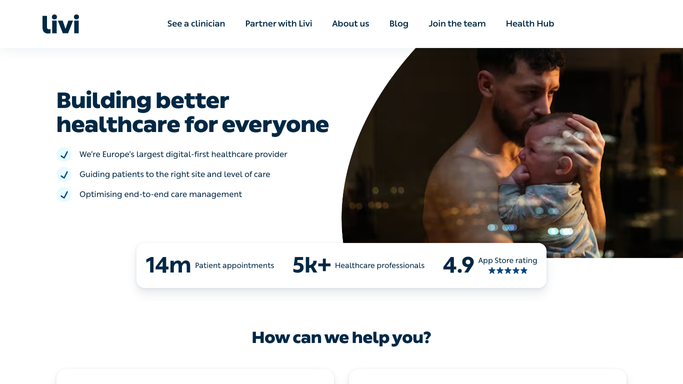
WebRun opens Livi to check consultation bookings. - Open the Livi company benefits dashboard
- Note upcoming and newly completed consultation bookings
- Record the date and status for each, without any clinical detail
Done when Every consultation booking has been captured with its date and status.
-
2
Airtable - log each consultation
airtable.com How to Automate Airtable

WebRun opens Airtable to log each consultation. - Open the benefits utilization base
- Add or update a record for each consultation with date and status
- Mark completed consultations accordingly
Done when The Airtable base matches what is currently booked and completed in Livi.
-
3
Notion - update the benefits tracker
notion.so How to Automate Notion

WebRun opens Notion to update the benefits tracker. - Open the benefits utilization tracker page
- Update the running consultation count for the month
- Note the trend compared to the prior month
Done when The Notion tracker reflects this month's consultation utilization.
How is each run configured?
Secure by default
Connect once, stays signed in
WebRun signs in once and keeps each session in a persistent environment, so every run picks up right where it left off.
Every action is checked against this policy before it runs.
Questions, answered
Does WebRun book or cancel Livi consultations?
No. It only reads bookings that already exist and reports on them. Booking, rescheduling, or canceling is always left to the employee.
Does it see any clinical detail from the consultation?
No. It logs booking dates and status only, never the content of a consultation or any diagnosis information.
Is any individual employee identified in the tracker?
Tell WebRun whether your benefits program tracks utilization by named employee or in aggregate only, and it will match how the Airtable base and Notion tracker are set up.
Related templates
Put this on autopilot.
Turn it on in minutes - or have our team set it up for you.