Track your chess students' Lichess progress weekly
Every Monday, WebRun opens Lichess, checks each student's current rating and games played over the prior week, logs a summary row to Google Sheets for every student, and updates a Notion coaching note flagging who needs extra attention this week.
- No credit card
- Under $0.01 per run
- Cancel anytime
How do I track my chess students' weekly progress on Lichess?
WebRun checks Lichess every Monday for each student's rating and games played, logs a summary to Google Sheets, and updates a Notion coaching note flagging who needs extra attention. It only reads public profile stats, so a chess coach gets a weekly progress scorecard across the whole roster without checking each profile by hand.
- Student rating trends are tracked every Monday without manual checking
- Students who stop playing are flagged for a personal nudge
- Lesson planning starts from a clear weekly coaching note
Built for Chess coaches · scholastic chess programs · chess clubs · online chess academies
What does WebRun do on every run?
The exact actions WebRun takes, in order - in plain language, so you can adjust anything.
-
WebRun signs in and gets to work
Opens
lichess.org/loginin a real browser with your saved login - no setup, no API keys. -
1
Lichess - check student ratings and games
lichess.org
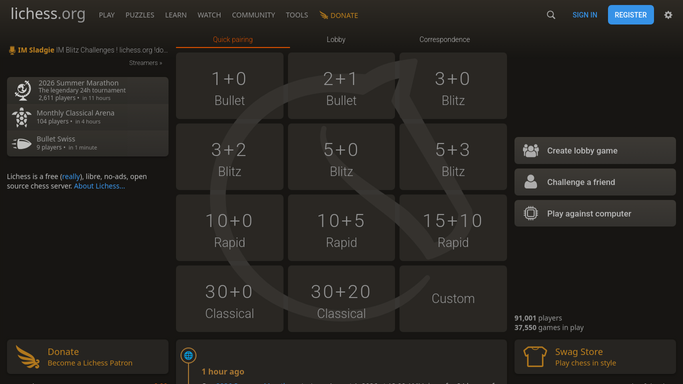
WebRun opens Lichess to check student ratings and games. - Open each student's Lichess profile
- Note their current rating and how many games they played this week
- Flag any student with no games played
Done when Every student's rating and weekly game count have been captured.
-
2
Google Sheets - log the weekly summary
google.com How to Automate Google Sheets

WebRun opens Google Sheets to log the weekly summary. - Open the student progress tracker sheet
- Add a row for each student with rating and games played this week
- Keep prior weeks so rating trends are visible over time
Done when The tracker sheet has this week's row for every student.
-
3
Notion - update the coaching note
notion.so How to Automate Notion

WebRun opens Notion to update the coaching note. - Open the coaching notes page
- Flag any student whose rating dropped or who played no games
- Note which students are ready for a harder lesson focus
Done when The Notion coaching note reflects this week's student trends.
How is each run configured?
Secure by default
Connect once, stays signed in
WebRun signs in once and keeps each session in a persistent environment, so every run picks up right where it left off.
Every action is checked against this policy before it runs.
Questions, answered
Does WebRun analyze games or suggest openings?
No. It only reads rating and game count from public Lichess profiles. Reviewing games and choosing lesson content is always done by the coach.
Does it play games or challenge students on Lichess?
No. It never sends a challenge or plays a move. It only reads existing profile stats.
What if a student's profile is set to private?
Only publicly visible rating and game history can be read, so a private profile simply shows as no new data that week.
Related templates
Put this on autopilot.
Turn it on in minutes - or have our team set it up for you.