Run your LearnWorlds course setup checklist
Every morning while your school is being set up, WebRun opens LearnWorlds, checks which setup steps are still missing such as branding, pricing, first course content, and the payment gateway, tracks the checklist on a Trello board, and drafts a WhatsApp nudge to your co-founder once everything is ready.
- No credit card
- Under $0.01 per run
- Cancel anytime
How do I track everything my LearnWorlds school needs before launch?
WebRun checks your new LearnWorlds school every morning against the standard setup checklist, branding, pricing, first course content, and the payment gateway, and tracks progress on a Trello board. Once everything is complete, it drafts a WhatsApp launch message for your co-founder to review and send, so nothing ships half finished.
- Nothing gets forgotten before a school goes live
- The setup checklist stays current on Trello without manual updates
- Launch only gets announced once every requirement is actually met
Built for online course creators · LearnWorlds school owners · course platform teams · edtech founders
What does WebRun do on every run?
The exact actions WebRun takes, in order - in plain language, so you can adjust anything.
-
WebRun signs in and gets to work
Opens
www.learnworlds.comin a real browser with your saved login - no setup, no API keys. -
1
LearnWorlds - check school setup status
learnworlds.com
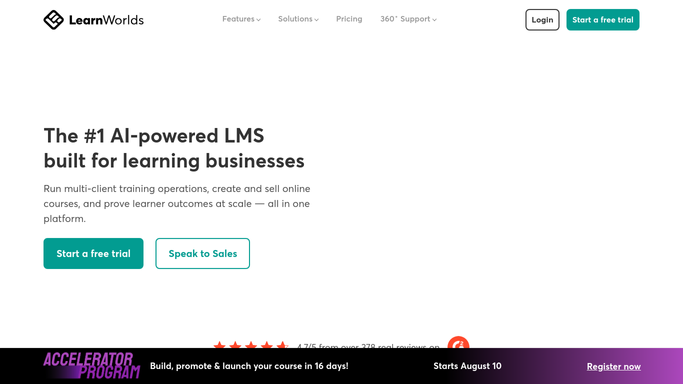
WebRun opens LearnWorlds to check school setup status. - Open the school admin dashboard and review setup progress
- Check branding, pricing, first course content, and the payment gateway
- Note which required steps are still incomplete
Done when Every setup requirement has been checked against the school's real status.
-
2
Trello - track the setup checklist
trello.com How to Automate Trello

WebRun opens Trello to track the setup checklist. - Update the setup checklist board with what's done and what's missing
- Move completed items to the Done list
- Leave a card for each outstanding step with what it needs
Done when The Trello board matches the school's actual setup status.
-
3
WhatsApp - draft the launch nudge
whatsapp.com How to Automate WhatsApp

WebRun opens WhatsApp to draft the launch nudge. - Draft a launch ready message once every checklist item is complete
- Summarize what was set up and link to the live school
- Queue the draft for you to review and send to your co-founder
Done when A launch ready draft exists once the checklist is fully complete.
How is each run configured?
Secure by default
Connect once, stays signed in
WebRun signs in once and keeps each session in a persistent environment, so every run picks up right where it left off.
Every action is checked against this policy before it runs.
Questions, answered
Will it publish or launch the school for me?
No. WebRun only tracks readiness and drafts a heads up message. Making the school live is always your decision.
Does it message my co-founder before we're ready?
No. The WhatsApp draft is only created once every checklist item is complete, and even then it waits for you to send it.
What if I add a new required step?
Add it to the Trello board and the next run checks it the same way as the original checklist items.
Related templates
Put this on autopilot.
Turn it on in minutes - or have our team set it up for you.