Automated Kustomer SLA Breach Warnings
Every hour, WebRun opens Kustomer, reads every open conversation with its age, queue, assignee and last customer message, works out which are inside the last quarter of their SLA window, posts a ranked warning list to your support Slack channel with the owning agent tagged, and leaves a short holding reply drafted in Gmail for the tickets closest to breach.
How do I stop support tickets from breaching their SLA?
WebRun reads your open Kustomer conversations every hour and compares each against your first-response and resolution targets. Tickets inside the final quarter of their window are posted to Slack with the owning agent tagged and the minutes remaining, and a holding reply is drafted in Gmail for the ones closest to breach.
- Agents are warned with minutes still on the clock
- Unassigned at-risk tickets get their own block for a lead to grab
- Holding replies wait as drafts so no customer is emailed unreviewed
Built for support managers · customer service teams · ecommerce support · SaaS support
What does WebRun do on every run?
The exact actions WebRun takes, in order - in plain language, so you can adjust anything.
-
WebRun signs in and gets to work
Opens
app.kustomer.comin a real browser with your saved login - no setup, no API keys. -
1
Kustomer - find tickets near breach
kustomer.com
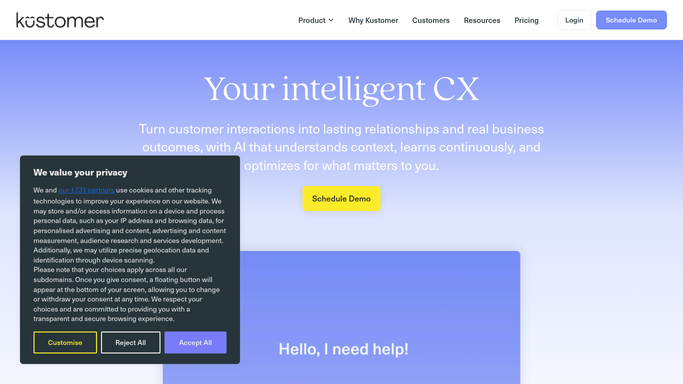
WebRun opens Kustomer to find tickets near breach. - Open Kustomer and filter conversations to open and pending across your live queues
- Capture each conversation's subject, customer, queue, priority, assignee, and time since the last customer message
- Compare that against the first-response and resolution targets you set for each priority
- Mark anything inside the final quarter of its window as at risk and anything already past as breached
- Skip conversations snoozed or waiting on the customer
Done when Every open conversation is classed as safe, at risk, or breached.
-
2
Slack - warn the owning agent
slack.com

WebRun opens Slack to warn the owning agent. - Post the at-risk and breached list to your support Slack channel, least time remaining first
- Tag the assigned agent on each line and show the minutes left before breach
- List unassigned at-risk conversations in their own block so a lead can pick them up
- Post nothing when every open conversation is comfortably inside its window
Done when Agents can see every at-risk ticket in Slack with its time remaining.
-
3
Gmail - draft a holding reply
gmail.com

WebRun opens Gmail to draft a holding reply. - For conversations closest to breach, draft a short, honest holding reply in Gmail that acknowledges the wait and gives a next update time
- Match the tone to your support voice and keep it under five lines
- Leave every message in Drafts. WebRun never emails a customer on its own
- Skip anyone who already received a holding reply in the last 24 hours
Done when A holding reply sits unsent in Gmail drafts for each ticket closest to breach.
How is each run configured?
Secure by default
Connect once, stays signed in
WebRun signs in once and keeps each session in a persistent environment, so every run picks up right where it left off.
Every action is checked against this policy before it runs.
Questions, answered
Will it email customers on its own?
No. Holding replies are left as unsent Gmail drafts for an agent to read, edit, and send. WebRun never emails a customer, never replies inside Kustomer, and never closes a ticket.
How does it know my SLA targets?
You give it a first-response and resolution target per priority when you turn it on. Anything inside the final quarter of its window is flagged at risk, and anything past it is flagged as breached.
Will it nag about tickets waiting on the customer?
No. Conversations snoozed or marked as waiting on the customer are skipped, so the list only holds work your team can actually act on right now.
Related templates
Put this on autopilot.
Turn it on in minutes - or have our team set it up for you.