Save your new Khroma palette for you
When a designer trains Khroma with liked and disliked colors and generates a new starter palette, WebRun captures the resulting hex values, saves them into a brand reference document in Google Drive, and texts the designer via Twilio to let them know the palette is saved and ready to review, so a good result never gets lost between browser sessions.
- No credit card
- Under $0.01 per run
- Cancel anytime
What does WebRun do on every run?
The exact actions WebRun takes, in order - in plain language, so you can adjust anything.
-
WebRun signs in and gets to work
Opens
www.khroma.coin a real browser with your saved login - no setup, no API keys. -
1
Khroma - capture the generated palette
khroma.co

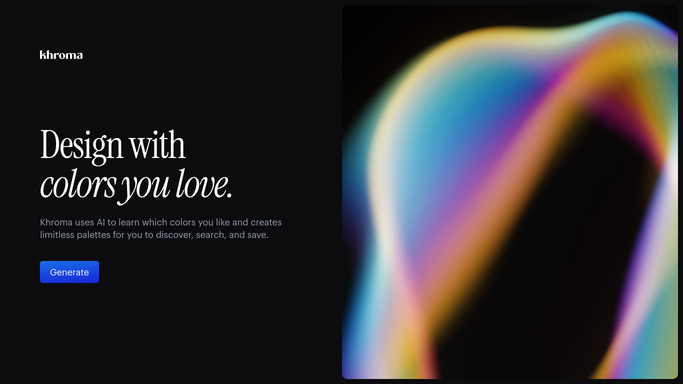
WebRun opens Khroma to capture the generated palette. - Open Khroma and capture the hex values from the newly generated palette
- Note which combinations the designer marked as liked
- Record the date and project the palette is for
Done when The newly generated palette has been captured.
-
2
Google Drive - save it as a brand reference
drive.google.com How to Automate Google Drive
WebRun opens Google Drive to save it as a brand reference. - Save the palette hex values into a brand reference document in Google Drive
- File it under the relevant project or brand folder
- Keep prior palette versions in the same folder for comparison
Done when It is saved as a brand reference document in Drive.
-
3
Twilio - text that the palette is ready
twilio.com How to Automate Twilio
WebRun opens Twilio to text that the palette is ready. - Text the designer via Twilio once the palette is saved
- Include a link to the reference document
- Keep the text short and internal
Done when The designer has been texted that it is ready.


How do I save a Khroma color palette so it does not get lost?
WebRun watches Khroma for a newly generated starter palette, saves the hex values into a brand reference document in Google Drive, and texts the designer via Twilio once it is ready to review. A good color result gets a permanent home instead of disappearing when the browser session ends.
- Good palette results never get lost between sessions
- Every project keeps a dated color reference in Drive
- Designers get a quick confirmation without checking Google Drive themselves
Built for freelance designers · brand designers · small design studios · in house creative teams
How is each run configured?
Secure by default
Connect once, stays signed in
WebRun signs in once and keeps each session in a persistent environment, so every run picks up right where it left off.
Every action is checked against this policy before it runs.
Questions, answered
Does it generate the palette itself?
No. WebRun only saves a palette a designer has already generated in Khroma. Training the tool and picking colors stays a manual, creative step.
What does the brand reference document include?
The hex values from the generated palette, filed under the project it is meant for, so the team has a permanent copy outside the Khroma session.
Can it save more than one palette per project?
Yes. Every newly generated palette gets saved and dated, so earlier versions stay available for comparison in the same Drive folder.
Related templates
Put this on autopilot.
Turn it on in minutes - or have our team set it up for you.