Set up a new Kapture CX escalation policy the right way
Whenever a new case queue is added in Kapture CX, WebRun works through the escalation policy checklist, confirms routing rules, response targets, and escalation contacts are set, saves the completed checklist to Google Drive, and posts a go live confirmation to Slack.
- No credit card
- Under $0.01 per run
- Cancel anytime
How do I set up a new escalation policy in Kapture CX correctly?
Whenever a new case queue is added in Kapture CX, WebRun works through the escalation policy checklist, setting routing rules, response targets, and escalation contacts. It saves the completed checklist to Google Drive for reference and posts a go live confirmation to Slack, so every new queue launches fully configured instead of half set up.
- New queues launch with routing and escalation contacts fully set, not half done
- Every setup has a saved record instead of relying on memory
- Missed checklist items get flagged instead of discovered after go live
Built for customer service operations · retail support teams · BFSI support teams · support team leads
What does WebRun do on every run?
The exact actions WebRun takes, in order - in plain language, so you can adjust anything.
-
WebRun signs in and gets to work
Opens
www.kapturecrm.comin a real browser with your saved login - no setup, no API keys. -
1
Kapture CX - configure the new queue's escalation policy
kapturecrm.com
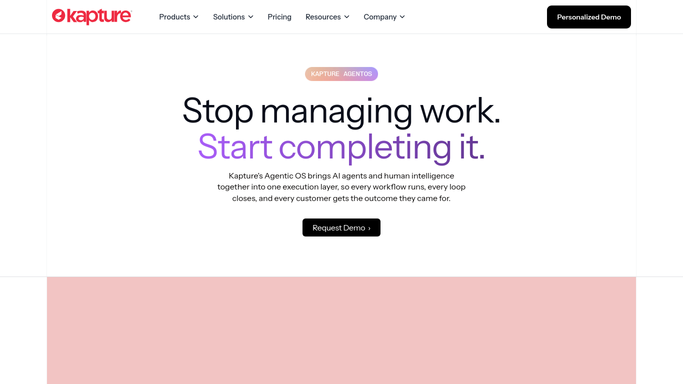
WebRun opens Kapture CX to configure the new queue's escalation policy. - Open Kapture CX and open the newly created case queue
- Set routing rules, response time targets, and escalation contacts
- Check that the queue is linked to the right team and channel
- Run through the standard escalation policy checklist item by item
Done when The new queue has routing, targets, and escalation contacts fully configured.
-
2
Google Drive - save the completed setup checklist
drive.google.com How to Automate Google Drive

WebRun opens Google Drive to save the completed setup checklist. - Save the completed setup checklist with what was configured and by when
- File it in the queue setup folder in Google Drive for future reference
- Note any item that could not be completed and needs manual follow up
Done when A completed checklist record is saved in Google Drive.
-
3
Slack - confirm the queue is ready to go live
slack.com How to Automate Slack

WebRun opens Slack to confirm the queue is ready to go live. - Post a go live confirmation to the team channel once setup is complete
- List the queue name, routing rules, and escalation contacts
- Flag any checklist item still needing manual follow up
Done when The team has a Slack confirmation that the new queue is ready.
How is each run configured?
Secure by default
Connect once, stays signed in
WebRun signs in once and keeps each session in a persistent environment, so every run picks up right where it left off.
Every action is checked against this policy before it runs.
Questions, answered
Does this replace deciding the actual escalation rules?
No. It runs through the standard checklist and applies the routing, targets, and contacts your team defines. Any judgment call is left for a person to decide before WebRun saves it.
What if a checklist item can't be completed?
It's noted in both the saved checklist and the Slack confirmation, so nothing gets marked ready to go live by mistake.
Where can I find the setup record later?
In the queue setup folder in Google Drive. Every new queue gets its own saved checklist for future reference or audits.
Related templates
Put this on autopilot.
Turn it on in minutes - or have our team set it up for you.