Automated Kajabi Student Re-engagement
Every Monday, WebRun signs in to Kajabi, opens each product's member list, finds students who have not opened a lesson in two weeks and are stuck part way through, drafts a short personal nudge email for each one, records the stall in your Notion retention page, and sends you the week's list on WhatsApp.
How do I follow up with course students who stopped part way through?
WebRun opens Kajabi every Monday and finds members who stopped part way through a course with no activity for two weeks. It drafts a personal nudge email naming the lesson they stalled on, logs each stall in Notion, and sends you the chase list on WhatsApp with every email left unsent.
- Students who go quiet get a personal nudge within a week, not never
- The lesson where people drop off is visible after a few runs
- Every outreach email waits for your approval before it sends
Built for course creators · online educators · membership site owners · coaching businesses
What does WebRun do on every run?
The exact actions WebRun takes, in order - in plain language, so you can adjust anything.
-
WebRun signs in and gets to work
Opens
app.kajabi.comin a real browser with your saved login - no setup, no API keys. -
1
Kajabi - find students who stalled mid-course
kajabi.com
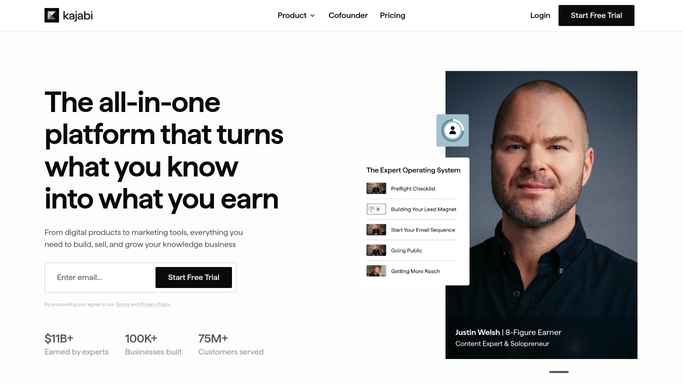
WebRun opens Kajabi to find students who stalled mid-course. - Sign in to Kajabi and open Products, then the member list for each active course
- Read each member's progress and last activity date
- Pick out anyone stuck part way through with no activity for two weeks
- Draft a short personal nudge email in Kajabi naming the lesson they stopped on, and leave every draft unsent for your approval
Done when Every stalled student has a drafted nudge waiting for review.
-
2
Notion - record the stall and the lesson
notion.so

WebRun opens Notion to record the stall and the lesson. - Open your retention page in Notion and add a row per stalled student
- Record the course, the lesson they stopped on, and how long they have been idle
- Mark anyone who was already nudged in a previous week so nobody is chased twice
- Update the count of stalls per course so the sticky lesson stands out
Done when Every stall is logged in Notion with its course and lesson.
-
3
WhatsApp - send you the week's chase list
whatsapp.com

WebRun opens WhatsApp to send you the week's chase list. - Send yourself the week's chase list with the number of drafted nudges waiting
- Name the lesson where the most students drop off
- Remind you that the emails are drafts and will not send until you approve them
Done when You have the week's stalled-student summary on WhatsApp.
How is each run configured?
Secure by default
Connect once, stays signed in
WebRun signs in once and keeps each session in a persistent environment, so every run picks up right where it left off.
Every action is checked against this policy before it runs.
Questions, answered
Will it email my students without my approval?
No. Every nudge is left as an unsent draft in Kajabi. WebRun writes it, names the lesson the student stopped on, and stops. Nothing reaches a student until you read it and hit send.
How does it decide who counts as stalled?
By progress and last activity date: a student part way through a course with no lesson activity for two weeks. Change the window to seven or thirty days to suit your course length.
Will the same student get chased every week?
No. WebRun checks the Notion record first and skips anyone already nudged, so a student is chased once unless you ask for a second follow-up.
Related templates
Put this on autopilot.
Turn it on in minutes - or have our team set it up for you.