Get your Kahoot quizzes ready before the next unit
Every Monday, WebRun opens Kahoot, checks your quiz library against the topics coming up in the next unit, creates a Trello prep card for any quiz that's missing or needs updating, and drafts a WhatsApp reminder for your co-teacher to review and send.
- No credit card
- Under $0.01 per run
- Cancel anytime
How do I make sure my Kahoot quizzes are ready before a new unit?
WebRun checks your Kahoot quiz library every Monday against the topics coming up in the next unit, creates a Trello prep card for any quiz that's missing or outdated, and drafts a WhatsApp reminder for your co-teacher to review and send, so quiz prep never gets discovered the night before class.
- Quiz gaps surface a full week before the unit starts
- Co-teachers know exactly who's covering which quiz
- Nothing gets discovered missing the night before class
Built for classroom teachers · co-teaching pairs · curriculum coordinators · substitute-prep planning
What does WebRun do on every run?
The exact actions WebRun takes, in order - in plain language, so you can adjust anything.
-
WebRun signs in and gets to work
Opens
kahoot.comin a real browser with your saved login - no setup, no API keys. -
1
Kahoot! - check the quiz library
kahoot.com
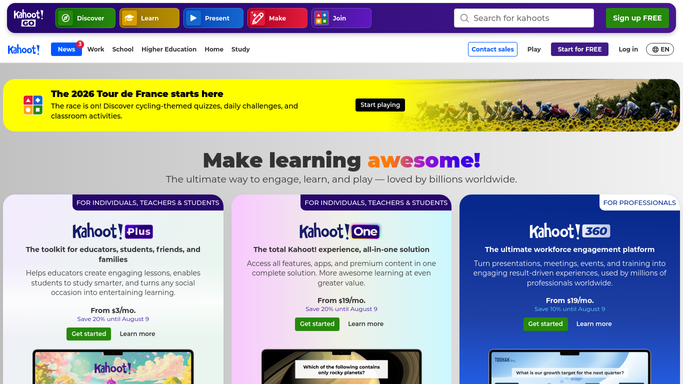
WebRun opens Kahoot! to check the quiz library. - Open your library and match quizzes to next week's topics
- Note which quizzes are missing, outdated, or need new questions
- Check the last-edited date on each existing quiz
Done when Every topic in next week's unit has a quiz status.
-
2
Trello - create a prep card
trello.com How to Automate Trello

WebRun opens Trello to create a prep card. - Create a prep card for each quiz that's missing or needs updating
- Note the topic and what specifically needs changing
- Move cards to done once a quiz is confirmed ready
Done when Every quiz gap has a tracked Trello prep card.
-
3
WhatsApp - draft a co-teacher reminder
whatsapp.com How to Automate WhatsApp

WebRun opens WhatsApp to draft a co-teacher reminder. - Draft a reminder listing this week's quiz prep items
- Ask your co-teacher to confirm who's covering which quiz
- Leave the draft unsent for you to review and send
Done when A reviewable prep reminder is ready for your co-teacher.
How is each run configured?
Secure by default
Connect once, stays signed in
WebRun signs in once and keeps each session in a persistent environment, so every run picks up right where it left off.
Every action is checked against this policy before it runs.
Questions, answered
Will it build or edit a quiz for me?
No. It only flags which quizzes need attention. Writing or editing the actual Kahoot questions is always done by you or your co-teacher.
Will it message my co-teacher without me?
No. The reminder is drafted and left unsent for you to review and send yourself.
How does it decide a quiz needs updating?
It checks the last-edited date against the unit's topics, so quizzes that haven't been touched since a curriculum change get flagged.
Related templates
Put this on autopilot.
Turn it on in minutes - or have our team set it up for you.