Score your weekly Justinmind activity for you
Every Friday, WebRun opens Justinmind, lists every prototype updated this week across web and mobile projects, logs the weekly activity on the team Trello board, and posts a scorecard to Microsoft Teams showing which prototypes moved forward and which have sat untouched, so stalled prototyping work does not slip past a sprint review.
- No credit card
- Under $0.01 per run
- Cancel anytime
What does WebRun do on every run?
The exact actions WebRun takes, in order - in plain language, so you can adjust anything.
-
WebRun signs in and gets to work
Opens
www.justinmind.comin a real browser with your saved login - no setup, no API keys. -
1
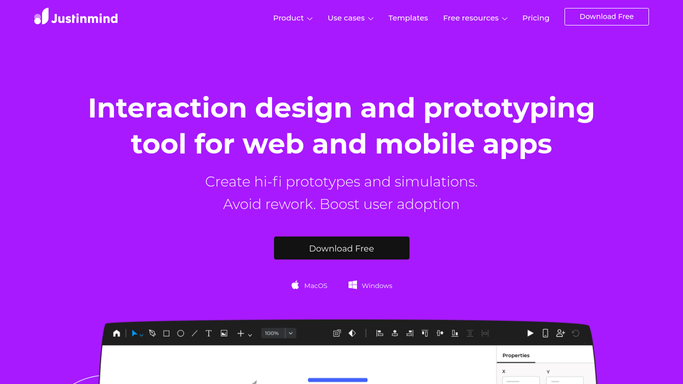
Justinmind - list prototypes updated this week
justinmind.com

WebRun opens Justinmind to list prototypes updated this week. - Open Justinmind and list every prototype updated this week
- Note how many screens or interactions changed per prototype
- Flag any prototype not touched in over two weeks
Done when Every prototype has been checked for activity this week.
-
2
Trello - log the weekly activity
trello.com How to Automate Trello
WebRun opens Trello to log the weekly activity. - Log the weekly activity on the team Trello board, one card per project
- Move a card forward if the prototype progressed this week
- Note stalled prototypes on their card
Done when The Trello board reflects this week activity.
-
3
Microsoft Teams - post the weekly scorecard
microsoft.com How to Automate Microsoft Teams
WebRun opens Microsoft Teams to post the weekly scorecard. - Post a scorecard to Microsoft Teams showing active and stalled prototypes
- Sort with the most active projects first
- Tag the project lead for anything stalled over two weeks
Done when The scorecard is posted to Microsoft Teams.


How do I track weekly progress across multiple Justinmind prototypes?
WebRun checks Justinmind every Friday for prototypes updated that week, logs the activity on your team Trello board, and posts a scorecard to Microsoft Teams showing what moved forward and what stalled. Teams see prototyping progress at a glance instead of opening every project before a sprint review.
- Stalled prototypes get flagged before a sprint review, not during it
- The team sees weekly progress without opening every project
- Trello cards always reflect actual prototyping activity
Built for UX teams · product managers · software agencies · design leads
How is each run configured?
Secure by default
Connect once, stays signed in
WebRun signs in once and keeps each session in a persistent environment, so every run picks up right where it left off.
Every action is checked against this policy before it runs.
Questions, answered
Does it build or edit the prototypes itself?
No. WebRun only reads which prototypes changed and logs it. All prototyping stays a manual task inside Justinmind.
What counts as a stalled prototype?
Any prototype with no updates in over two weeks. It still shows in the scorecard so it does not just disappear from view before a sprint review.
Does it track mobile and web prototypes the same way?
Yes. It checks every prototype in the workspace regardless of platform and reports on all of them the same way.
Related templates
Put this on autopilot.
Turn it on in minutes - or have our team set it up for you.