Chase the interview feedback that is holding up a decision
Every morning, WebRun opens Jobvite, finds completed interviews with no feedback submitted yet, records the candidate, requisition, and the interviewer who owes the form, opens a chase card per interviewer in Trello, and posts the day's chase list to your recruiting WhatsApp group.
- No credit card
- Under $0.01 per run
- Cancel anytime
What does WebRun do on every run?
The exact actions WebRun takes, in order - in plain language, so you can adjust anything.
-
WebRun signs in and gets to work
Opens
jobvite.comin a real browser with your saved login - no setup, no API keys. -
1
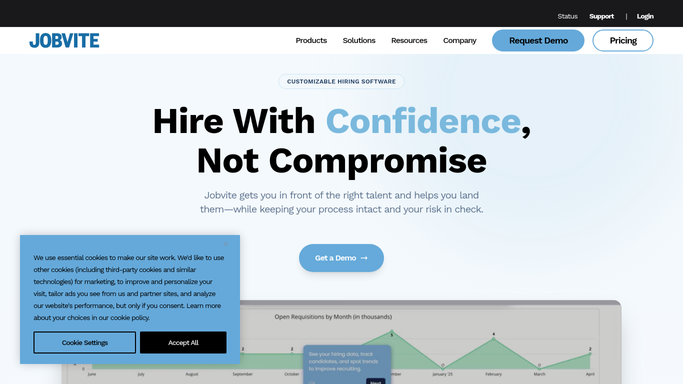
Jobvite - find interviews missing feedback
jobvite.com

WebRun opens Jobvite to find interviews missing feedback. - Open Jobvite and list interviews whose scheduled date has passed
- Check each one for submitted interview feedback and keep only the interviews still missing it
- Capture the candidate, the requisition, the hiring manager, the interviewer who owes the form, and how many days it has been outstanding
Done when Every past interview without feedback is listed with its candidate and its named interviewer.
-
2
Trello - open a chase card per interviewer
trello.com How to Automate Trello
WebRun opens Trello to open a chase card per interviewer. - Create or update one card per interviewer on your recruiting board
- List the candidates they owe feedback on, with the requisition and the days outstanding
- Move cards past your agreed limit into the escalation list and close cards whose feedback has since arrived
Done when Every interviewer who owes feedback has a current Trello card, and cleared ones are closed.
-
3
WhatsApp - post today's chase list
whatsapp.com How to Automate WhatsApp
WebRun opens WhatsApp to post today's chase list. - Post the day's chase list to your internal recruiting group, oldest outstanding first
- Name the interviewer, the candidate, and the days waiting on each line
- Keep the post inside your team group. Never message a candidate
Done when Recruiters have today's feedback chase list in WhatsApp.


How do I chase interviewers who have not submitted feedback?
WebRun chases missing interview feedback in Jobvite every morning. It finds interviews that already happened but have no feedback submitted, records the candidate, requisition, and interviewer who owes the form, opens a chase card per interviewer in Trello, and posts the day's list to your recruiting WhatsApp group.
- No candidate waits on a decision that is only missing one form
- Every interviewer who owes feedback is named and dated each morning
- Cards close themselves once the feedback lands in Jobvite
Built for recruiters · talent acquisition teams · HR coordinators · hiring managers
How is each run configured?
Secure by default
Connect once, stays signed in
WebRun signs in once and keeps each session in a persistent environment, so every run picks up right where it left off.
Every action is checked against this policy before it runs.
Questions, answered
Does it message candidates?
No. WebRun only posts to your internal recruiting WhatsApp group and your Trello board. Candidates are never contacted, and nothing is written back into the candidate record in Jobvite.
Will it nudge interviewers directly?
Only through your internal group, where your recruiter decides who to approach. WebRun does not send an interviewer a direct message or email on your behalf.
What if feedback arrives after the card is made?
The next morning run reads live Jobvite status, closes the Trello card, and drops that interviewer from the chase list, so nobody is chased twice for a form they already filled in.
Related templates
Put this on autopilot.
Turn it on in minutes - or have our team set it up for you.