Know the morning a device backup stops running
Every morning, WebRun opens Internxt, checks each backed-up device for its last backup time and the folders it covers, compares that against the schedule you expect, posts the full status to Microsoft Teams, and sends you a WhatsApp alert on any device that has stopped backing up.
- No credit card
- Under $0.01 per run
- Cancel anytime
How do I know when a device backup has stopped running?
WebRun opens Internxt every morning, reads each device's last backup time and the folders it covers, and compares that against the schedule you expect. It posts the full status to Microsoft Teams and sends a WhatsApp alert on any silent device, so you learn about a stopped backup long before a restore.
- A silent backup is named the morning it misses its schedule
- Shrinking folder coverage is caught even when the backup still runs
- Storage close to the plan limit is flagged before it stops the next run
Built for IT administrators · small business owners · managed service providers · remote teams
What does WebRun do on every run?
The exact actions WebRun takes, in order - in plain language, so you can adjust anything.
-
WebRun signs in and gets to work
Opens
drive.internxt.comin a real browser with your saved login - no setup, no API keys. -
1
Internxt - check last backup per device
internxt.com
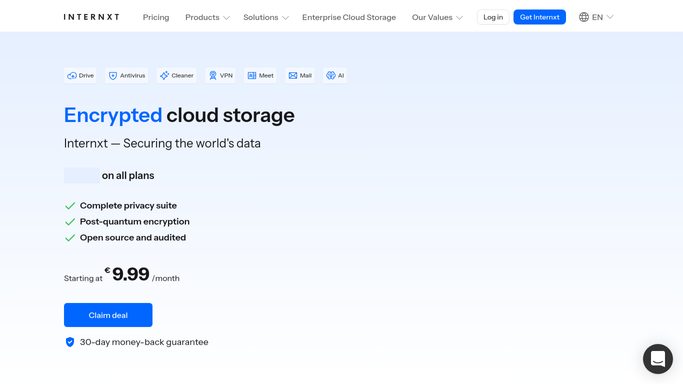
WebRun opens Internxt to check last backup per device. - Open Internxt and go to the backups section
- List every device with a backup configured and read its last backup time
- Note the folders each device is set to back up so a shrinking scope is visible too
- Compare each last backup time against the schedule you expect, such as daily or every few days
- Read the storage used against the plan, since a full account stops backups quietly
Done when Every device has a last backup time, a covered folder list and a pass or fail against its schedule.
-
2
Microsoft Teams - post the backup status
microsoft.com How to Automate Microsoft Teams

WebRun opens Microsoft Teams to post the backup status. - Post the IT channel a device by device backup status with each last backup time
- Put the devices that missed their schedule at the top, longest silent first
- Show storage used against the plan so a capacity problem is caught before it stops the next run
- Note any device whose folder coverage changed since the previous run
Done when The IT channel has this morning's backup status in Microsoft Teams.
-
3
WhatsApp - alert on a silent device
whatsapp.com How to Automate WhatsApp

WebRun opens WhatsApp to alert on a silent device. - Send yourself an alert naming any device that has not backed up on schedule
- Include the last successful backup time and the folders that device covers
- Send nothing on a morning where every device ran as expected
Done when You have been alerted about every device that stopped backing up.
How is each run configured?
Secure by default
Connect once, stays signed in
WebRun signs in once and keeps each session in a persistent environment, so every run picks up right where it left off.
Every action is checked against this policy before it runs.
Questions, answered
Will it delete or restore any files?
No. WebRun never deletes a backup, never restores one and never uploads anything. It reads the backup status and reports it. Restoring and pruning stay deliberate human actions.
How does it know a backup is late?
You tell it the schedule you expect for each device, such as daily or every few days. WebRun compares the last backup time against that every morning and marks anything past it as silent.
Does it catch a backup that runs but covers less?
Yes. It reads the folders each device is set to back up and notes when that coverage changes, so a backup that still runs while quietly protecting less is flagged too.
Related templates
Put this on autopilot.
Turn it on in minutes - or have our team set it up for you.