Keep a daily record of what your cloud spends
Every night, WebRun opens IBM Cloud, reads billing and usage for the account broken down by service and resource group, drafts a Gmail summary of yesterday's cost with the day-on-day change, and sends the platform owner the biggest movers on WhatsApp.
- No credit card
- Under $0.01 per run
- Cancel anytime
How do I track my daily cloud spend before the invoice arrives?
WebRun opens IBM Cloud every night and reads billing and usage for the account by service and resource group. It drafts a Gmail summary of yesterday's cost with the day-on-day change and sends the platform owner the biggest movers on WhatsApp, long before the invoice arrives.
- Yesterday's spend is on record before anyone asks
- Cost jumps get noticed the next morning, not at invoice time
- New services appearing in the bill are named on the first day
Built for platform owners · DevOps teams · IT managers · finance operations
What does WebRun do on every run?
The exact actions WebRun takes, in order - in plain language, so you can adjust anything.
-
WebRun signs in and gets to work
Opens
cloud.ibm.comin a real browser with your saved login - no setup, no API keys. -
1
IBM Cloud - read yesterday's usage and cost
ibm.com
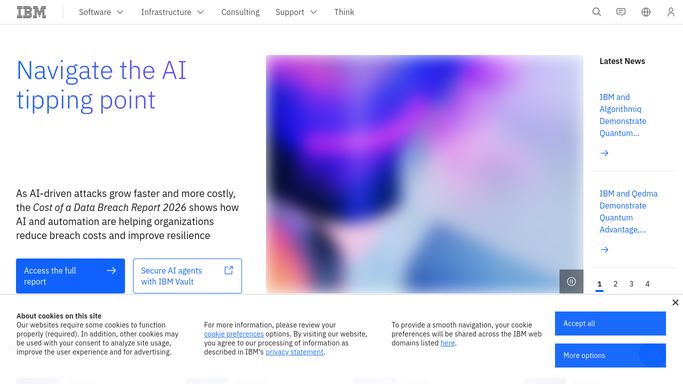
WebRun opens IBM Cloud to read yesterday's usage and cost. - Open IBM Cloud and go to billing and usage for the account
- Read yesterday's cost by service and by resource group
- Compare each service against the previous day and against its running month to date
Done when Yesterday's cost is captured by service with its day-on-day change.
-
2
Gmail - draft the daily cost summary
gmail.com How to Automate Gmail

WebRun opens Gmail to draft the daily cost summary. - Draft an email with yesterday's total, the breakdown by service, and the month to date
- Put the services that rose most at the top of the table
- Leave the email as a draft. WebRun does not send it until you have read it
Done when A dated cost summary is waiting in your Gmail drafts.
-
3
WhatsApp - flag the biggest movers
whatsapp.com How to Automate WhatsApp

WebRun opens WhatsApp to flag the biggest movers. - Send the platform owner yesterday's total and the three services that moved most
- Note any service that appeared in the bill for the first time
Done when The platform owner has last night's cost movers on WhatsApp.
How is each run configured?
Secure by default
Connect once, stays signed in
WebRun signs in once and keeps each session in a persistent environment, so every run picks up right where it left off.
Every action is checked against this policy before it runs.
Questions, answered
Will it email the cost report without me?
No. The Gmail summary is left as a draft for you to read and send. The WhatsApp note goes only to the platform owner you nominate, never to a customer or a finance contact.
Will it change or delete any cloud resources?
No. WebRun only reads billing and usage in IBM Cloud. It never stops a service, deletes a resource, or changes a plan, so nothing in the account is altered.
What counts as a big mover?
A service whose cost yesterday rose most against the day before, plus anything appearing in the bill for the first time. The top three go into the WhatsApp note.
Related templates
Put this on autopilot.
Turn it on in minutes - or have our team set it up for you.