Track your Humble Bundle keys for you
Every Monday, WebRun opens your Humble Bundle library, checks for new bundle purchases and Humble Choice selections, cross-checks each order against its receipt in Gmail, and logs every key with its title, bundle, and redemption status to a Google Sheet.
- No credit card
- Under $0.01 per run
- Cancel anytime
How do I keep track of unredeemed Humble Bundle keys?
WebRun checks your Humble Bundle library every Monday for new purchases and Humble Choice selections, cross-checks each order against its Gmail receipt, and logs every key's title, bundle, and redemption status to a Google Sheet, so a growing library never turns into unredeemed keys nobody remembers buying.
- Every purchased key is logged before it gets forgotten
- Receipts and library purchases stay reconciled automatically
- Unredeemed keys are easy to spot in one sheet
Built for Indie game curators · Small studio teams · Game key resellers · Bundle deal trackers
What does WebRun do on every run?
The exact actions WebRun takes, in order - in plain language, so you can adjust anything.
-
WebRun signs in and gets to work
Opens
www.humblebundle.com/loginin a real browser with your saved login - no setup, no API keys. -
1
Humble Bundle - check library for new keys
humblebundle.com
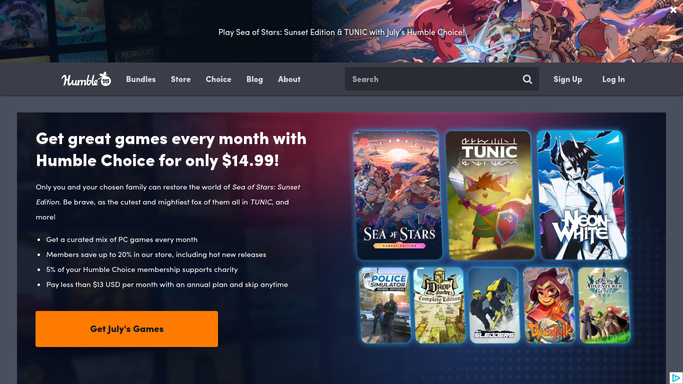
WebRun opens Humble Bundle to check library for new keys. - Open the Humble Bundle library and order history
- Note any new bundle purchase or Humble Choice selection
- List each key's title, platform, and whether it shows as redeemed
Done when Every purchase in the library has been reviewed for new keys.
-
2
Gmail - cross check order receipts
gmail.com How to Automate Gmail

WebRun opens Gmail to cross check order receipts. - Search the inbox for the matching Humble Bundle receipt
- Confirm the order total and key count match the library
- Flag any purchase with no matching receipt for a manual check
Done when Every new purchase has been checked against its receipt email.
-
3
Google Sheets - log keys and redemption status
google.com How to Automate Google Sheets

WebRun opens Google Sheets to log keys and redemption status. - Open the key tracking sheet
- Add a row for each new key with title, bundle, platform, and status
- Update the status for any key redeemed since the last check
Done when The sheet lists every key you own with its current redemption status.
How is each run configured?
Secure by default
Connect once, stays signed in
WebRun signs in once and keeps each session in a persistent environment, so every run picks up right where it left off.
Every action is checked against this policy before it runs.
Questions, answered
Does WebRun redeem or gift keys for me?
No. WebRun only reads your library and order history. Redeeming a key on Steam, GOG, or elsewhere is always a step you take yourself.
Does it read my whole Gmail inbox?
No. It only searches for messages from Humble Bundle to confirm a receipt matches a purchase, it does not open or log anything else in your inbox.
What if I bought a bundle outside Humble Choice?
It is picked up the same way. WebRun checks the full order history, not just the subscription, so one off bundle purchases get logged too.
Related templates
Put this on autopilot.
Turn it on in minutes - or have our team set it up for you.