Track every Greyhound booking status change in one place
Every morning, WebRun checks your group's Greyhound bookings for delays, route changes, or cancellations, logs each status change to Airtable, and updates the Notion trip planner so the itinerary always matches reality.
- No credit card
- Under $0.01 per run
- Cancel anytime
How do I track Greyhound booking status changes for group travel?
WebRun checks your group's Greyhound bookings every morning for delays, route changes, or cancellations, logs each status change to Airtable, and updates the Notion trip planner so the itinerary always matches reality. Coordinators work from a current plan instead of one that's a day out of date.
- The trip planner reflects live booking status every morning
- Delays and cancellations get logged instead of discovered at the station
- Every status change has a tracked history in Airtable
Built for Group travel coordinators · School and youth group organizers · Tour operators · Nonprofit and community group leaders
What does WebRun do on every run?
The exact actions WebRun takes, in order - in plain language, so you can adjust anything.
-
WebRun signs in and gets to work
Opens
www.greyhound.comin a real browser with your saved login - no setup, no API keys. -
1
Greyhound - check bookings for status changes
greyhound.com
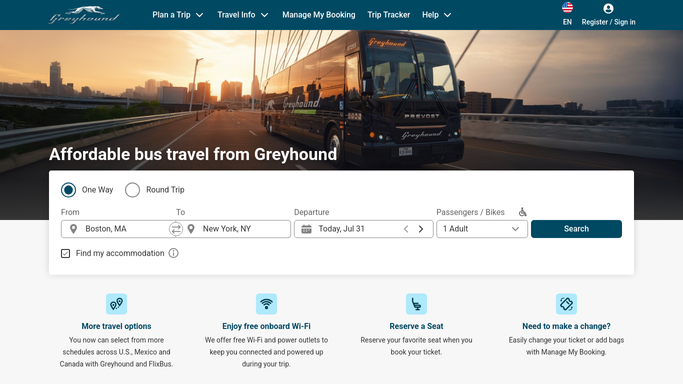
WebRun opens Greyhound to check bookings for status changes. - Open Greyhound and review bookings for the upcoming group trip
- Compare departure time and status against the last check
- Note any delay, route change, or cancellation
Done when Every booking has been checked against its last known status.
-
2
Airtable - log each status change
airtable.com How to Automate Airtable

WebRun opens Airtable to log each status change. - Log each status change with passenger, route, and new status
- Keep a running history of changes per booking
- Mark a booking resolved once the coordinator confirms it
Done when Every status change found this run is logged.
-
3
Notion - update the trip planner
notion.so How to Automate Notion

WebRun opens Notion to update the trip planner. - Update the trip planner page with current departure times and status
- Flag any passenger affected by a delay or cancellation
- Keep the itinerary matching the live booking status
Done when The Notion trip planner reflects every current booking status.
How is each run configured?
Secure by default
Connect once, stays signed in
WebRun signs in once and keeps each session in a persistent environment, so every run picks up right where it left off.
Every action is checked against this policy before it runs.
Questions, answered
Will it rebook a canceled trip for us?
No. WebRun only reads booking status and reports changes. Rebooking or resolving a cancellation is done by the group travel coordinator.
How fast does a status change get caught?
It checks every booking each morning, so a delay, route change, or cancellation is usually reflected within a day of happening.
Does it cover bookings made outside our group account?
It only reads bookings visible in the connected Greyhound account, so a ticket booked separately won't show up unless it's added to that account.
Related templates
Put this on autopilot.
Turn it on in minutes - or have our team set it up for you.