Turn new Gravity Forms leads into a scheduled follow-up
Whenever a lead form is submitted, WebRun reads the new Gravity Forms entry, drafts a short WhatsApp introduction referencing what the lead asked about, and blocks a follow-up call slot on the assigned rep's Google Calendar, so a real conversation gets scheduled while the lead is still warm.
- No credit card
- Under $0.01 per run
- Cancel anytime
What does WebRun do on every run?
The exact actions WebRun takes, in order - in plain language, so you can adjust anything.
-
WebRun signs in and gets to work
Opens
gravityforms.comin a real browser with your saved login - no setup, no API keys. -
1
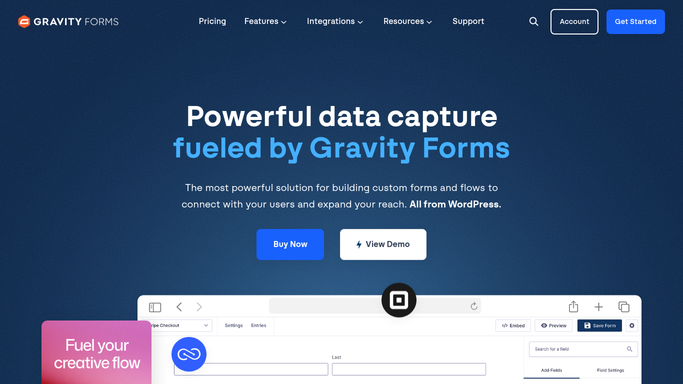
Gravity Forms - read the new lead submission
gravityforms.com

WebRun opens Gravity Forms to read the new lead submission. - Open the site's Gravity Forms entries and read the new submission
- Capture the lead's name, contact details, and what they asked about
- Match the submission to the right sales rep
Done when The new lead's details and interest are captured.
-
2
WhatsApp - draft an introduction
whatsapp.com How to Automate WhatsApp
WebRun opens WhatsApp to draft an introduction. - Draft a short, personal introduction referencing what the lead asked about
- Keep the tone conversational, not a form letter
- Queue the draft for the rep. WebRun never sends the message itself
Done when The assigned rep has a drafted introduction waiting for approval.
-
3
Google Calendar - hold a follow-up slot
calendar.google.com How to Automate Google Calendar
WebRun opens Google Calendar to hold a follow-up slot. - Open the assigned rep's calendar
- Block a follow-up slot within the next business day
- Title it with the lead's name and interest
Done when Every new lead has a follow-up slot on the rep's calendar.


How do I follow up quickly with new Gravity Forms leads?
WebRun watches your Gravity Forms lead submissions and, for every new one, drafts a short WhatsApp introduction referencing what the lead asked about and blocks a follow-up slot on the assigned rep's Google Calendar. Nothing sends automatically, the rep reviews and sends the message, so warm leads get a fast, scheduled response instead of sitting in a WordPress inbox.
- New leads get a drafted intro before they go cold
- Follow-up time is booked on the rep's calendar automatically
- No lead form submission sits unassigned
Built for Small business sales teams · WordPress site owners · agencies · real estate and home services
How is each run configured?
Secure by default
Connect once, stays signed in
WebRun signs in once and keeps each session in a persistent environment, so every run picks up right where it left off.
Every action is checked against this policy before it runs.
Questions, answered
Will it message new leads without a rep checking first?
No. WebRun only drafts the WhatsApp introduction. The assigned rep reviews and sends it themselves, nothing goes out automatically.
How is the rep for each lead decided?
It matches the submission to the rep mapping you set up in Gravity Forms, such as by form or by what the lead asked about.
How quickly does the follow-up get scheduled?
As soon as the form is submitted, WebRun drafts the message and holds calendar time, so the lead is still warm when the rep follows up.
Related templates
Put this on autopilot.
Turn it on in minutes - or have our team set it up for you.