Automated GOG Sale Event Alerts
Every morning, WebRun checks the GOG storefront for new sale events and DRM-free releases, archives the discount and sale window details to Google Drive for content planning, and texts you a same-day summary through Twilio.
How do I get alerted about new GOG sales and DRM-free releases?
WebRun checks the GOG storefront every morning for new sale events and DRM-free releases, archives the discount and sale window details to Google Drive for content planning, and texts you a same-day summary through Twilio. Sales ending soon get flagged, so coverage goes out before a sale closes.
- New sales and releases reach you the same day they post
- Content planners have a running archive of every sale and release
- Sales ending soon get flagged before the window closes
Built for Gaming journalists and curators · Game deal newsletters · Gaming content creators · Independent game retailers
What does WebRun do on every run?
The exact actions WebRun takes, in order - in plain language, so you can adjust anything.
-
WebRun signs in and gets to work
Opens
www.gog.comin a real browser with your saved login - no setup, no API keys. -
1
GOG - check for new sales and releases
gog.com
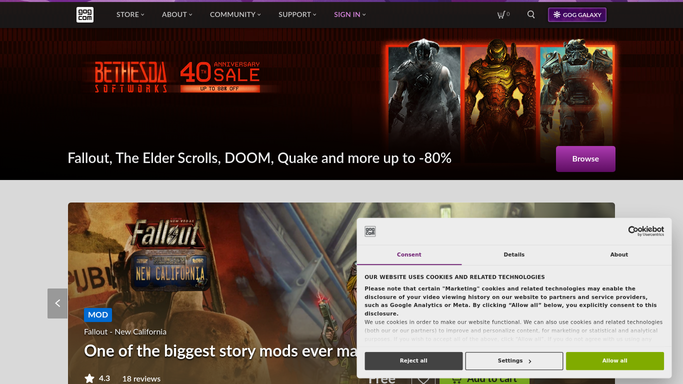
WebRun opens GOG to check for new sales and releases. - Open GOG and review the storefront for new sale events
- Check for new DRM-free releases since the last run
- Note discount percentage, sale window, and any new release title
Done when The storefront has been checked for new sales and releases.
-
2
Google Drive - archive sale and release details
drive.google.com

WebRun opens Google Drive to archive sale and release details. - Save the sale and release details to the content calendar folder
- Include discount percentage and sale end date
- Replace outdated entries once a sale closes
Done when The content folder holds current details for every sale and release found.
-
3
Twilio - text the same-day summary
twilio.com

WebRun opens Twilio to text the same-day summary. - Send a same-day text summarizing new sales and releases
- Flag any sale ending within 48 hours
- Skip the text on days with nothing new
Done when You've been texted today's GOG sales and releases, if any.
How is each run configured?
Secure by default
Connect once, stays signed in
WebRun signs in once and keeps each session in a persistent environment, so every run picks up right where it left off.
Every action is checked against this policy before it runs.
Questions, answered
Will it purchase a game or claim a sale for us?
No. WebRun only reads public storefront listings. Any purchase is made by a person, on GOG, using their own account.
How does it decide what counts as new?
It compares the current storefront against the last check, so only genuinely new sales and releases get archived and texted.
Does it cover every title on GOG?
It checks the storefront's sale and new release sections broadly, so coverage follows what GOG itself is currently promoting.
Related templates
Put this on autopilot.
Turn it on in minutes - or have our team set it up for you.