Automated Epic Reading Catch Up Handoff
Every Monday, WebRun opens Epic!, checks each student's reading minutes and books read against their weekly goal, drafts a WhatsApp summary for your reading aide listing who needs small group support, and books a catch up block on the aide's Google Calendar.
How do I hand off students who fell behind on their Epic! reading goal?
WebRun checks each student's weekly Epic! reading minutes against their goal every Monday and lists who fell short. It drafts a WhatsApp summary for your reading aide and books a small group catch up block on their Google Calendar, so the handoff is ready to review instead of built from scratch by hand.
- Students behind on reading get a scheduled catch up every week
- The reading aide gets a ready to review handoff instead of a raw report
- Catch up sessions are booked automatically around the aide's schedule
Built for elementary teachers · reading specialists · instructional aides · literacy coaches
What does WebRun do on every run?
The exact actions WebRun takes, in order - in plain language, so you can adjust anything.
-
WebRun signs in and gets to work
Opens
www.getepic.comin a real browser with your saved login - no setup, no API keys. -
1
Epic! - check weekly reading progress
getepic.com
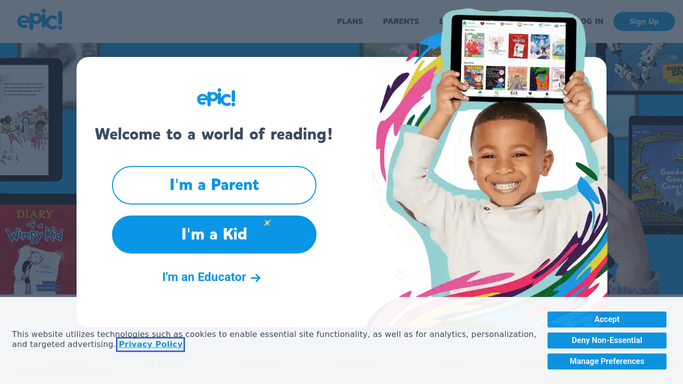
WebRun opens Epic! to check weekly reading progress. - Open Epic! and check each student's reading minutes and books read for the week
- Compare progress against their weekly reading goal
- List every student who fell short
Done when Every student's weekly progress has been checked against their goal.
-
2
WhatsApp - draft the handoff summary
whatsapp.com

WebRun opens WhatsApp to draft the handoff summary. - Draft a short WhatsApp summary for the reading aide listing who fell short and by how much
- Group students by how far behind they are
- Queue the draft for the teacher to review and send. WebRun never messages the aide or a parent on its own
Done when A draft handoff summary is ready for the teacher to approve.
-
3
Google Calendar - book the catch up block
calendar.google.com

WebRun opens Google Calendar to book the catch up block. - Book a small group catch up block on the reading aide's calendar
- Add the list of students to the event notes
- Pick a slot later in the week that doesn't clash with other classes
Done when A catch up block is on the calendar with the student list attached.
How is each run configured?
Secure by default
Connect once, stays signed in
WebRun signs in once and keeps each session in a persistent environment, so every run picks up right where it left off.
Every action is checked against this policy before it runs.
Questions, answered
Will it message the aide or parents without me?
No. WebRun only drafts the WhatsApp summary. A human, usually the teacher, reviews and sends it before the aide sees it.
How is the weekly reading goal set?
It uses the goal already set for each student in Epic!, so the handoff reflects your actual classroom targets, not a generic default.
Does it double book the aide's calendar?
No. It checks existing events before booking the catch up block, so it looks for a slot that's actually free.
Related templates
Put this on autopilot.
Turn it on in minutes - or have our team set it up for you.