See how far your cohort actually got this week
Every Monday, WebRun opens the public freeCodeCamp profile of each learner in your cohort, reads which certifications are complete and which challenges were finished in the last week, moves each learner's Trello card to the stage that matches their progress, and sends your training chat a WhatsApp summary showing who moved, who finished a certification, and who has not progressed.
- No credit card
- Under $0.01 per run
- Cancel anytime
How do I track a cohort's progress through freeCodeCamp?
WebRun reads each cohort learner's public freeCodeCamp profile every Monday, checking completed certifications and challenges finished that week. It moves each learner's Trello card to the matching stage and sends your training chat a WhatsApp summary of who advanced, who finished a certification, and who stalled.
- The cohort board matches reality every Monday morning
- Stalled learners are named before they drop out quietly
- Learner accounts are only ever read, never touched
Built for bootcamp operators · engineering mentors · L and D teams · apprenticeship programmes
What does WebRun do on every run?
The exact actions WebRun takes, in order - in plain language, so you can adjust anything.
-
WebRun signs in and gets to work
Opens
www.freecodecamp.orgin a real browser with your saved login - no setup, no API keys. -
1
freeCodeCamp - read learner progress
freecodecamp.org
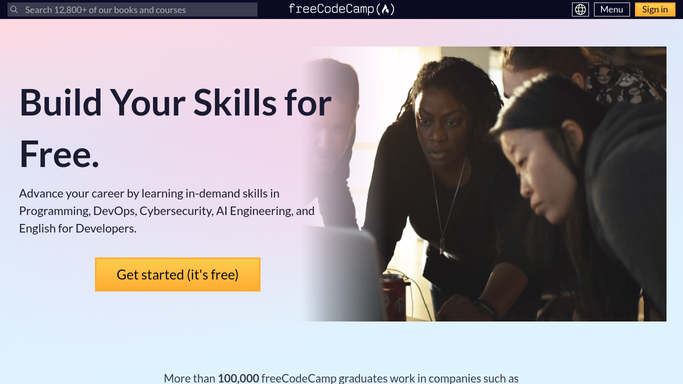
WebRun opens freeCodeCamp to read learner progress. - Open each learner's public freeCodeCamp profile from your cohort list
- Read the certifications shown as complete and the challenges completed since the last run
- Note anyone with no new activity in the last week and anyone who just finished a certification
Done when Every learner in the cohort has this week's progress captured.
-
2
Trello - move the cohort cards
trello.com How to Automate Trello

WebRun opens Trello to move the cohort cards. - Open the cohort board in Trello and find each learner's card
- Move the card to the list matching their current stage and update the checklist of completed certifications
- Add a comment with the week's completed challenges so the card carries its own history
Done when Every learner card sits in the stage their profile actually shows.
-
3
WhatsApp - send the cohort summary
whatsapp.com How to Automate WhatsApp

WebRun opens WhatsApp to send the cohort summary. - Send the training chat a summary: learners who advanced, certifications completed, and learners with no activity
- Name the certification for anyone who finished one so it can be celebrated properly
- Keep messages internal. WebRun never contacts a learner directly
Done when The training team has this week's cohort picture.
How is each run configured?
Secure by default
Connect once, stays signed in
WebRun signs in once and keeps each session in a persistent environment, so every run picks up right where it left off.
Every action is checked against this policy before it runs.
Questions, answered
Will it message the learners?
No. Every message goes to your own internal WhatsApp training chat. WebRun never emails or messages a learner, so any encouragement or follow up comes from a real mentor.
Does it need each learner's login?
No. It reads public freeCodeCamp profiles from the cohort list you provide. Anyone whose profile is private simply shows as progress not visible rather than being guessed at.
Does it change anything on freeCodeCamp?
No. The freeCodeCamp step is read only. WebRun never submits a challenge, edits a profile, or touches a learner account, and the only writes are to your own Trello board.
Related templates
Put this on autopilot.
Turn it on in minutes - or have our team set it up for you.